Search history
Clear allSearch by image
XDrag and drop an image here or upload an image
Max 5MB per image
UploadSign In | Join

Search history
Clear allSearch by image
XDrag and drop an image here or upload an image
Max 5MB per image
UploadSign In | Join
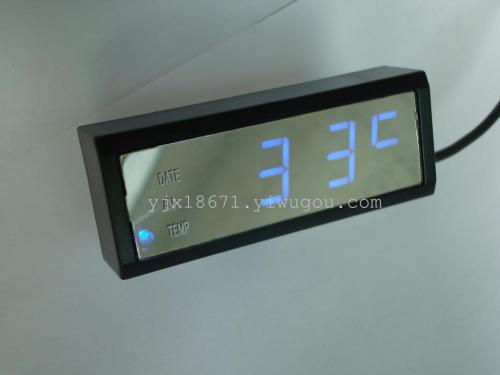
Product Model:LED10
Product Function Description:1andLEDDigital display function. Font light, wide field of view, wide temperature range, clear display.
2Time12and24Hourly function.
3The rotation display function of time, calendar, and temperature.
4and12and24VChaochong Power Supply
5Blue light, orange light, or green light products are available for selection.
6The angle adjustment function of the iron sheet support behind.
7Product Weight:63.5GProduct Size:80X31X19MM
1.Product Features:
LEDDigital display function. Font light, wide field of view, wide temperature range, clear display.
time12and24Hourly function.
The rotation display function of time, calendar, and temperature.
12and24VChaochong Power Supply
Blue light, orange light, or green light products are available for selection.
The angle adjustment function of the iron sheet support behind.
2.Normal display mode:
①
Install the battery supplied randomly, and when powered on, the display shows 6:30 PM. If there is no time adjustment within 20 seconds, the LED will automatically turn off.
②
Normal walking state, press any key to light up the LED and display the time.If the product has a temperature function (the configuration may vary depending on the product features), it will switch the display in sequence: time/date/temperature (temperature display range: -9 to 50 degrees Celsius). The switching display time is: 10 seconds/5 seconds/5 seconds in turn. (If there are no function options, the date or temperature function will be skipped). When rotating, pressing the "UP/12/24" or "DOWN" key can directly view the next display content.
3If you plug the car into the charger and turn on the ignition, the product will stay on continuously, and it will not go out.
3.
Time Adjustment:
①
In the normal operation state, press the "SET" key to enter the time setting state. At the same time, the year "flashes" (valid when the option of date rotation is enabled). You can modify the year by pressing the "UP/12/24" or "DOWN" key. After modifying, press the "SET" key to move the flashing position to the next page to the Gregorian "month". You can modify the month by pressing the "up" or "down" key. Use the same method to set the day, hour, and minute.
②
After the time is set, press the 'SET' key to exit the time setting and return to the normal time state.
③
In the setup mode, press the "UP/12/24" or "DOWN" key for 3 seconds to modify the value with an increment or decrement of 8 steps per second.
④
In the time setting mode, if there is no operation for more than 20 seconds, the device will automatically exit the setting state, and the set value will be effective.
4.
12/24Hour System Switch:
In the normal walking state, press the 'increase' key for 3 seconds to switch between 12-hour and 24-hour formats.
4If the product constantly returns to the power-on state, it indicates that the backup battery is low on charge. Please replace the battery with the same model as the one inside the device.


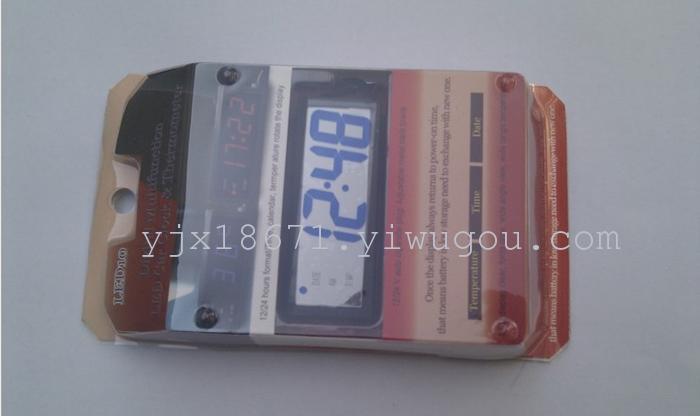
eature:
LED
display clear, fonts glow, wide angleview, wide range temperature
Time,
calendar, temperature, rotate the display
12/24
hours format
12/24
V auto cigarette plug
Convert
stand
Magic tape in back side
Update time:


TOP