
Search history
Clear allSearch by image
XDrag and drop an image here or upload an image
Max 5MB per image
UploadSign In | Join

Search history
Clear allSearch by image
XDrag and drop an image here or upload an image
Max 5MB per image
UploadSign In | Join
X Email Mobile
| Number | Unit-price | Total | |||
| I want to buy: | × | 8.5 | = | 0 |


A new item has been added to your Shopping Cart. You now have items in your Shopping Cart.

Function
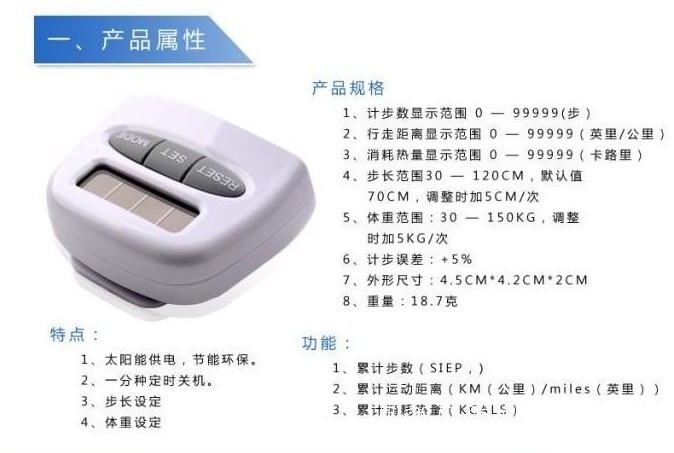
1. Total Steps (STEP)
2. Total distance traveled (KM (kilometers)/miles (miles))
3. Cumulative Caloric Intake (KCALS)
Features:
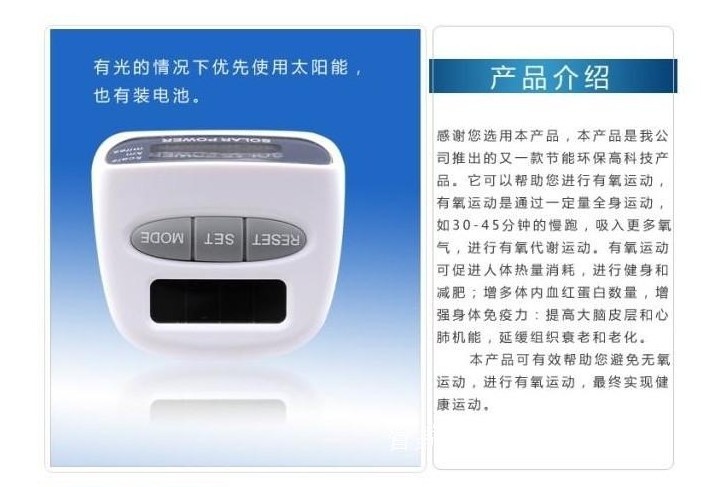
1. Solar energy power supply, energy-saving and environmental protection.
2. One-minute timed shutdown.
3. Step Length Setting
4、Weight Setting
Product Specifications
Step Count Display Range: 0 — 99999
2. Walking distance display range: 0 — 99999
3. Calorie consumption display range: 0 — 99999
Step length range: 30 — 120CM, default value: 70CM, adjust by adding 5CM/time.
Weight range: 30 — 150KG, Adjustment by 5KG/time.
Step Counting Error: +5%
7、Shape Size: 4.5CM*4.2CM*2CM
8、Weight: 18.7 grams
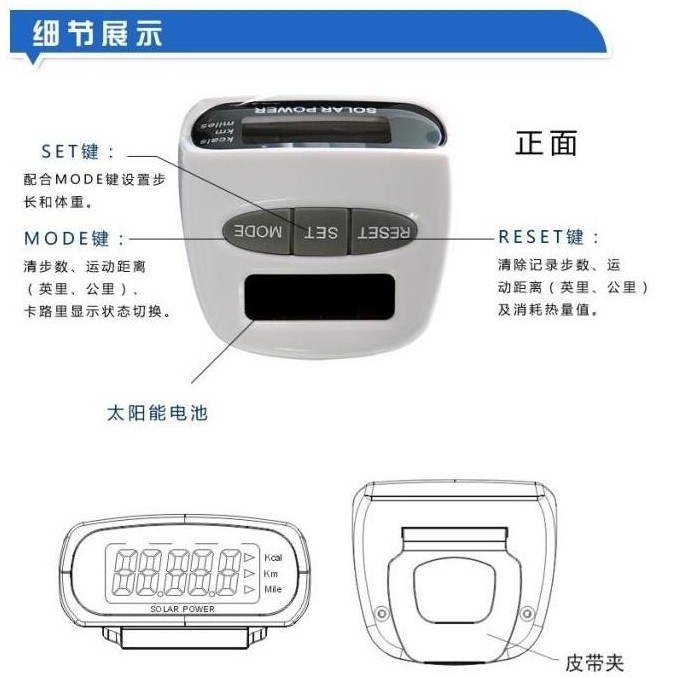
Function key
RESETReset" button: records the number of steps, the distance (kilometers/miles) and the amount of calories burned.
MODEPattern key: Step length, weight adjustment key, walking distance, number of steps, calorie display
SET(Set)Button: Step Length, Weight Setting Button, with MODEKey Use
Operating Instructions
1. The step-counting function will automatically turn off after about one minute of system inactivity. At this time, pressing any key or gently shaking the pedometer can turn it back on.
2. In the pedometer mode, press the MODE key, and the system will cycle through displaying the number of steps, miles, kilometers, and calories; any time in any display mode, pressing the RESET key will clear the exercise record values.
3. Set the step length and weight, then clip the pedometer onto your belt and keep it in a horizontal and vertical position. You can then use it by pressing the RESET button to start recording your movements.
4. When any of the step count, distance, or calories reaches the maximum value, it will reset to zero and recalculate. If it does not reach the maximum value, it will continue to accumulate. Unnormal wearing will affect the accuracy of the pedometer.
How to set the stride and weight
First of all, it is necessary to clarify why step length and weight are set. Accurately setting the step length allows the pedometer to accurately calculate how far you have walked, and the weight can calculate how much heat you have consumed. Now let's get into how to set it specifically.
1. Set the step length
First, walk in a straight line in a natural state for 5-10 steps, and mark the starting and ending points. Measure the distance with a measuring tool. By simply dividing the distance by the number of steps, you get the stride length. For more accurate data, repeat the above steps three times and take the average.
Note: The unit of step length is centimeters (CM)
Then press the "SET" button on the pedometer and set the level to the unit "L" (L stands for the level of stride length), and then press the "MODE" button. Each press increases the value by 5CM. Repeat the pressing until you reach the closest measured stride length.
2. Set Weight
First, weigh yourself and record the number.
Note: The unit of weight is kilograms (KG)
Update time:


TOP


