
Search history
Clear allSearch by image
XDrag and drop an image here or upload an image
Max 5MB per image
UploadSign In | Join

Search history
Clear allSearch by image
XDrag and drop an image here or upload an image
Max 5MB per image
UploadSign In | Join
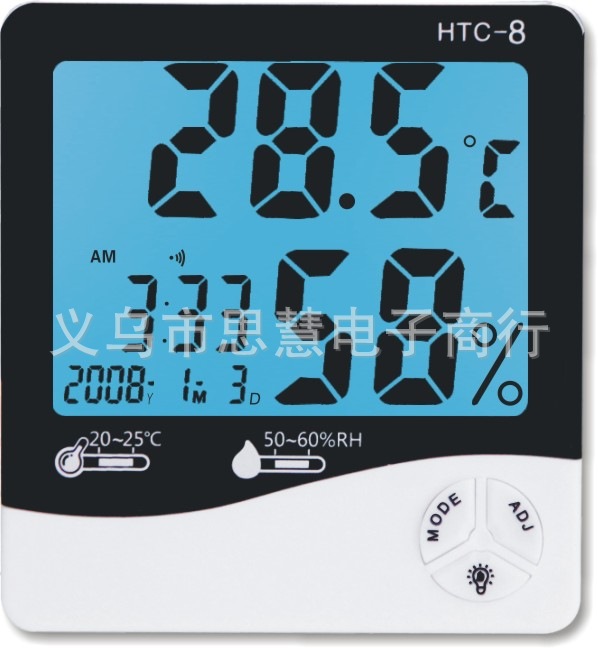
· Original imported high-performance temperature and humidity sensors, extremely accurate in measurement, with a lower annual drift coefficient and longer lifespan.
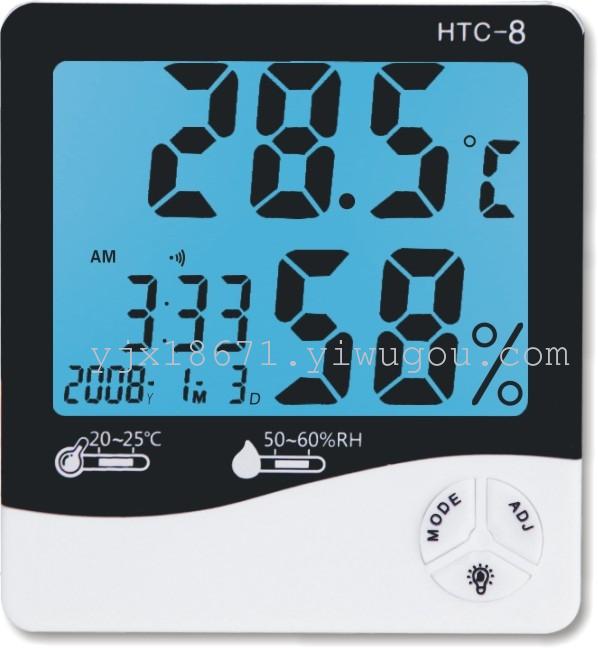
· Temperature, humidity, almanac, clock, simultaneous display
·Luminous materials, alarm clocks, ℃/℉ switch,1 2/2 4A clock with the 24-hour format and a memory function for maximum and minimum temperature and humidity are all available in one device.
·Sampling Time5second/Next time, temperature and humidity measurement will be more accurate and faster.,The drift coefficient is smaller, and the lifespan is longer.
·Chips and design patents with full independent intellectual property rights
2.Product specifications
Specifications:106 mm×98mm×22 mm
Temperature measurement range:-50℃~ +70℃(-58℉~ +1 58℉) (It is recommended that-20℃~ +60(Used in ℃ range)
Accuracy of temperature and humidity measurement: ±0.5℃ (±1.0℉)(15℃~30℃)
±3%~±5% RH(40% RH ~ 80% RH)
Temperature resolution:0.1℃(0.1℉)
Humidity measurement range:10% RH ~ 99% RH
Humidity resolution:1% RH
Battery usage:1SeasonAAA 1.5V 7Battery for devices
3.Operation Instructions
3.1Push the battery door in the direction indicated by the back of the device, insert the battery, then reseat the battery door, and the device will be ready to use.
3.2Key Functions:
Pattern/MODEKey: Switch clock, alarm,1 2/2 4Items that need adjustment such as 24-hour format, year, month, day; adjustment/ADJKey: Adjust the values of the selected items;
Luminous material/Key: Used to turn on the backlight;
Memory/<T]_MEMORYKey: Displays the highest value in memory/The minimum temperature and humidity values are also used to remove the highest and lowest temperature and humidity values from memory;
℃/℉ Key: Used to switch the temperature unit between °C (Celsius) and ℉ (Fahrenheit).
3.3Hold the mode in the initial state/MODEKey2Seconds: The minutes of the current time start flashing; press to adjust/ADJThe key can adjust the minute value, in continuous press mode/MODEKeys and adjustments/ADJKeys can be configured separately for the clock.1 2/2 424-hour format, yearY), Moon (M), JapanD)。(In short, it isMODESelect the item you want to adjust,ADJAdjust the value of this item via the key.)
4.Setting and canceling of the alarm function
4.1Alarm settings: In the current clock mode, press the mode button/MODEPress once,Alarm"When the symbol appears, adjust it."/ADJPress once,Alarm“And”Symbols appear simultaneously; hold the mode/MODEKey2Seconds, the minutes start flashing, press to adjust/ADJSet the alarm time in minutes, then select the mode./MODEPress once, the hours will flash, then press to adjust./ADJSet the alarm hour by pressing the button, then select the mode./MODEKey2Next,When the symbol appears, return to the current clock mode; the setting is complete.
4.2Alarm cancellation: InIn the current clock mode where symbols appear, press Mode/MODEPress once,Alarm”And”When the symbols appear simultaneously, adjust accordingly./ADJPress the key once,Symbols disappear, follow the pattern/MODEPress once,Alarm”Symbols disappeared, alarm was canceled, setup complete.
5.By memory/<T]_MEMORYKeyThe memory temperature can be displayed./Maximum humidityMAX) Minimum valueMIN) Displaying the maximum valueMAX) or minimum valueMIN<t_UI>, hold down to memorize/<T]_MEMORYKey2Second — the maximum time to clear memory/Minimum value.
Update time:


TOP


