
Search history
Clear allSearch by image
XDrag and drop an image here or upload an image
Max 5MB per image
UploadSign In | Join

Search history
Clear allSearch by image
XDrag and drop an image here or upload an image
Max 5MB per image
UploadSign In | Join
Model: KD-6128
Single stopwatch size: 78*64*22mm,
Single stopwatch color box packaging size: 8.45*6.65*2.55CM,
Box Specification: 69.3*47*32.6CM,
One piece: 500 pieces.
Gross Weight: 22.8KG
N.W: 20.5KG
Net weight per unit with packaging: 42G
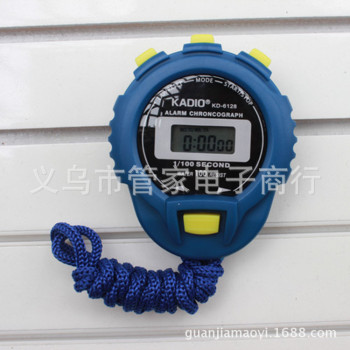
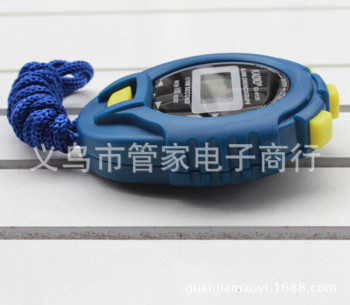
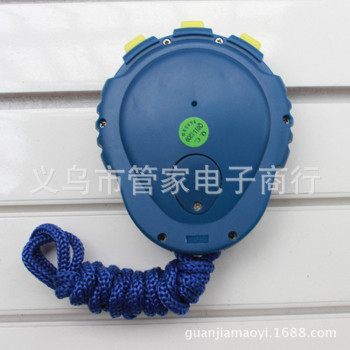
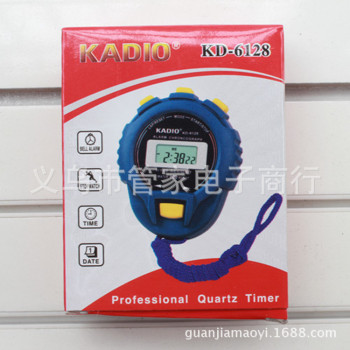
Electronic Stopwatch Instructions:
1: Stopwatch function - A set of timers
2: Time Display
3: Use a button batteryinsideThere is a grain
Alarm function
Instructions are on the packaging box. There are a total of 2 adjustment buttons in English.
Chinese User Manual:
1. Stopwatch setup and use: In the normal time display mode, press the MODE key once to see the stopwatch mode. Press the START key (right key) once to start the timer. To stop the timer, press the START key again. To continue the timer, press the START key once more. To reset the timer, in the stopwatch stopped state, press the SPLIT key (left key) once to reset and start the timer again.
Alarm time setting: Under normal time display, press the MODE key twice, and you will see the alarm time setting state. Then, press the START key (right button) continuously to start time setting, and press the SPLIT key (left button) once to enter the minute setting.
3-time setting: Under normal time display, press the MODE key three times, and you will see the seconds flashing. Press the SPLIT key (left button) once, and you will see the minutes flashing. Then press the START key (right button) to set the minutes correctly. Press the SPLIT key (left button) again, and you will see the hours flashing. Then press the START key (right button) to set the hours correctly. Press the SPLIT key (left button) again, and you will see the days flashing. Then press the START key (right button) to set the days correctly. Perform these operations until you have set the months and weeks correctly. Then press the MODE key to exit.
Alarm switch: Press and hold RESET, then press START/STOP!
Attention to the time item:
This table does not have water-resistant design. Please do not use it in water.
Update time:


TOP


