
Search history
Clear allSearch by image
XDrag and drop an image here or upload an image
Max 5MB per image
UploadSign In | Join

Search history
Clear allSearch by image
XDrag and drop an image here or upload an image
Max 5MB per image
UploadSign In | Join
Yiwu Zhongli Electronics Co., LTD. 15yr.
Contacts HuangHuaZhong Chat
Mobile 13566764473
WeChat 13566728436
To learn more, please contact: 13566728436 QQ:519869618
【Quality】: First Grade
【Color】: As shown in the figure【Transmission Distance】: 8-10m
【Applicable Brand】: Universal
Battery: 2 pieces
【Usage Method】:1. Press the "Settings" key with your left hand and hold it down without releasing, then press the "Power" key with your right hand once. The indicator light will turn on continuously.
2. Enter three "0"s to turn off the indicator light, and at this time the remote control code is "000".
3. Repeat what was said in the first point, to make the indicator light stay on continuously.
4、Point the remote control at the TV's receiving window and start pressing the "Volume +" button on the remote control. Count the number of times you press it and write down the corresponding number, "1, 2, 3, 4, 5, 6, ... 300." Be patient, and when you directly press a certain number, The television displayed the 'volume indicator line', so release the remote control button and note down the number. This number is your television's 'code'.
5. Press the "Set" key to turn off the indicator light.
6. Try the code: Repeat the first step to keep the light on for a long time, enter the code (a three-digit number)
【Note】: All products sold by our store are photographed with actual items and have not been modified in any way. There may be a certain color difference due to different monitors. Please refer to the actual color of the received item.
Support Alipay escrow transaction; process orders within 24 hours.
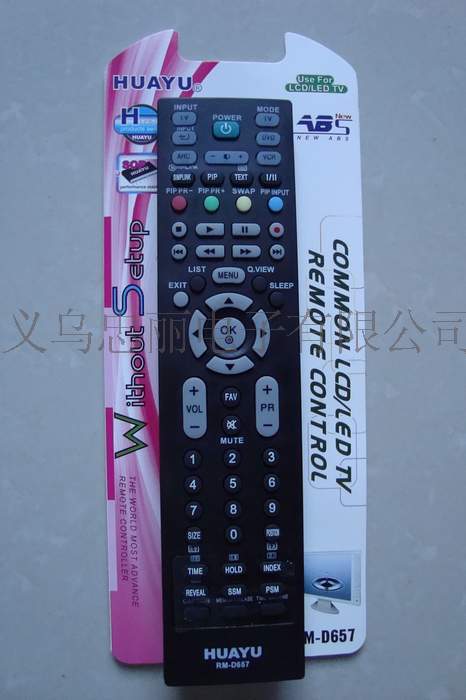

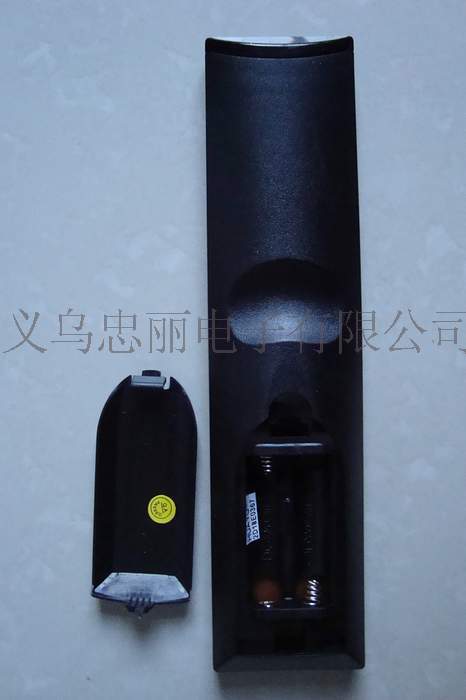

Images, prices, product attributes are for reference only and should not be used as a trading price. Please refer to the actual product for details. Welcome to call for consultation. A3
Applicable equipment: TV, VCD, DVD, SAT, Model: REM-600
Battery 5, Made in China
Quality and Brand
Transmission distance: 8-12 (m)
Chinese User Manual
Multifunctional TV remote control, capable of searching 18 brands with a single button.
The function of a TV and a button search, it is very convenient to use, and it is your best remote control to improve
Grade.
The biggest feature of this multi-functional remote control is that it can control various devices with just one device.
2-code" is often found quickly and accurately, and there is no need for a second attempt. For example, if you are looking for a specific "2-code," it is usually possible to find it without having to try multiple times.
The television is a SONY brand. Press the button (0), do not release it until the volume symbol appears on the screen. Then
It is ready to use.
The biggest advantage is
Press the 'SET' key three times, do not release it, and when the volume symbol appears on the screen, it is ready to use.
Motion is repeatable.
Semi-automatic search can be used.
Press the 'SET' button and the 'POWER' button at the same time, and hold them until the display lights up.
Press the volume + button and release, repeat pressing, until the volume icon appears on the screen. Turn off the display light, and finish the search.
Cheng.
Lock function
Press '5' on the lock key and hold it for about 4 seconds. The red light will blink 3 times, which means this trademark is locked.
Unlocking function
Press '6' to unlock." After about 4 seconds, the red light will blink 3 times, which means the lock is open.
when
Search guidance solution.
(1)When the remote control is set to display random characters, it means that the buttons are misaligned. When you press the + button, the TV will display the - sign.
Press 1 and the TV will display other solutions to the problem. First, unlock the remote control, then remove the batteries.
Press down and then press up again to reset. If it works, the TV password is correct. If it doesn't, it's not correct.
Enter the password, and then re-search using the above method until all other key operations are correct.
Update time:


TOP


