
Search history
Clear allSearch by image
XDrag and drop an image here or upload an image
Max 5MB per image
UploadSign In | Join

Search history
Clear allSearch by image
XDrag and drop an image here or upload an image
Max 5MB per image
UploadSign In | Join
|
black
黑色 |
CN¥ 0.0 |
|
blue
蓝色 |
CN¥ 0.0 |
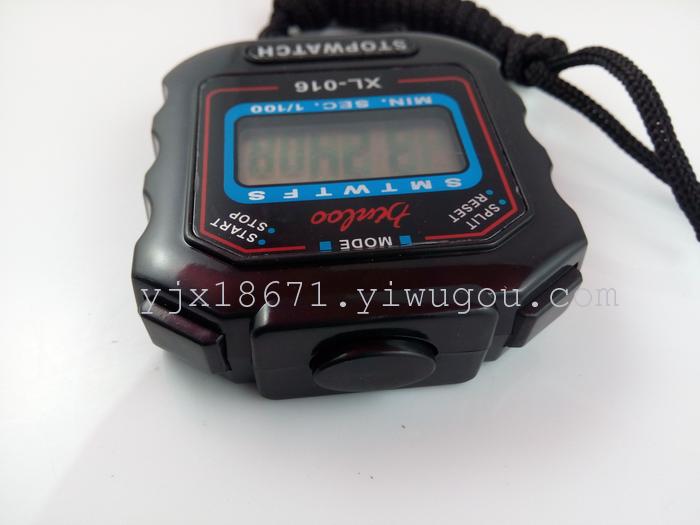
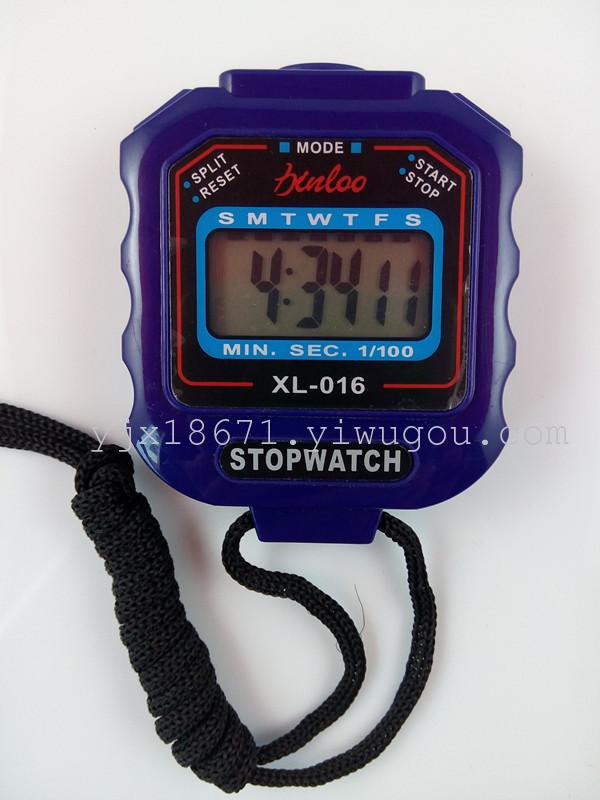
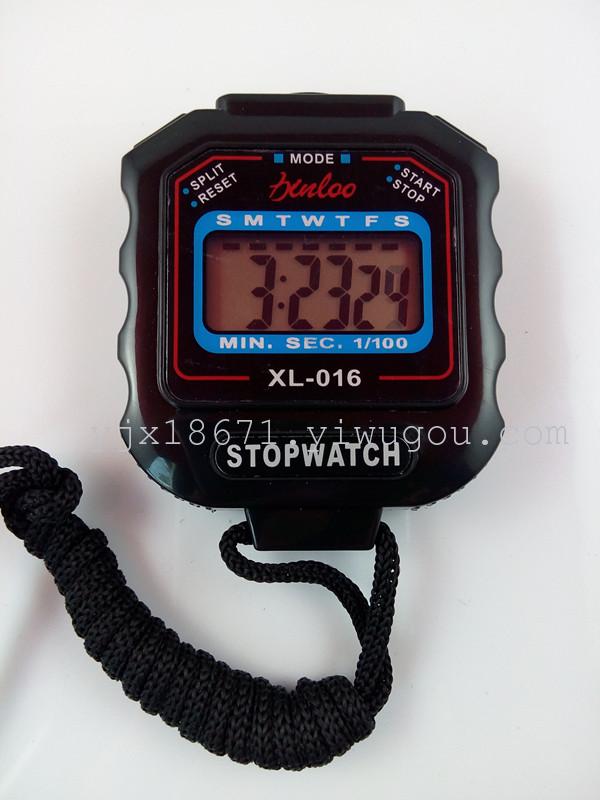
★Features:
1. 1/1000 seconds screen display;
2. Week calendar and time display;
3. Timed alarm clock;
4. Packaging dimensions are approximately: 9.6*6.6*2.4 CM
5. The stopwatch size is approximately: 6.5*5.8*1.8 CM
6. Packing quantity: 400 PCS
7. Packaging dimensions: 5.1.3 * 3.5.5 * 4.3 CM
8. Packaging: Color box
No need to install a battery; this stopwatch comes with an electronic component. Its service life is approximately 1 year and it can be replaced.
The manual is on the packaging box, with an English description.
Electronic stopwatch
1. Stopwatch Timing: Under normal timing mode, press the M key to activate the stopwatch, enter timing mode. If the stopwatch display is not zero, press the D key to stop timing, and press the S key to reset it to zero.
II. Time, Calendar, and Alarms Display: Under normal operation mode, press the D key to display the month, day, and week, and press the S key to show the alarm time.
III. Setting Time and Calendar: Press the M key three times under normal time operation to enter the time setting mode. Seconds and day of the week display will flash simultaneously. Press the S key to select minutes, hours, day, month, day of week, and seconds for adjustment. After adjusting, press the M key to return to normal time operation.
IV. Battery Replacement: When the display becomes dim or no longer shows any information, the battery should be replaced. You can remove the old battery inside the rear panel of the watch case using a screwdriver, then install a new battery of the same specification, and finally secure the rear case cover.
5. Precautions: 1. Avoid getting damp
2. Should not be exposed to direct sunlight or strong light for extended periods
3. Avoid contact with corrosive substances
4. Avoid use in environments with excessively high or low temperatures
SPORT WATCH USER MANNER
1 Sport Watch Count Timer Mode:
* Sport Watch count timer:
Press the MODE button once for the Sport Watch count timer mode; if it does not display 0, press the START/STOP button to stop the count timer. Press the SPLIT/RESET button to reset it to 0. Then press the START/STOP button to start the Sport Watch count timer, and press it again to stop it; press the SPLIT/RESET button to reset it to 0.
* Double Timer Mode
Press the START/STOP button to start the count timer. Press the SPLIT/RESET button to reset the first count timer. (Note: When the Sport Watch is in the first count timer mode, it operates normally otherwise.) Press the SPLIT/RESET button again to add a second timer and continue the Sport Watch count timer. (In double timer mode, press the SPLIT/RESET button twice.) Press the START/STOP button to stop, or press the SPLIT/RESET button to reset it back to 0.
* Display Double Timer
Press the START/STOP button to start the count timer. Press the SPLIT/RESET button to display the first count timer. Press the START/STOP button again to stop it. Press the SPLIT/RESET button once more to display the second count timer, and then press SPLIT/RESET to reset it to 0.
2. Time Calendar Week Alarm display:
Press the MODE button to enter normal time mode. Press the START/STOP button to display the month, day, and week. Press the SPLIT/RESET button to display the alarm time. Press both the START/STOP and SPLIT/RESET buttons simultaneously to sound the alarm and turn it on or off.
3. Time and Day Settings
In normal time mode, press the MODE button three times; the second and minute hands will flash, and the device enters time setting mode. Press the START/STOP button to adjust (pressing the START/STOP button quickly adjusts the time). Press the SPLIT/RESET button repeatedly to set the second minute, hour, day, month, and week. (A/P indicates 12-hour mode; A indicates AM, P indicates PM; H indicates 24-hour mode.) After adjustment, press the MODE button to return to normal time mode.
4. Alarm time setting
In normal time mode, press the MODE button twice; the time and week display will flash, and the unit will enter alarm time setting mode. Then press the SPLIT/RESET button to set the time or minute, followed by pressing the START/STOP button to adjust. Press the MODE button again to return to normal time mode.
5. Notice
* The sport watch is designed for daily use only; it can withstand splashing water or rain. However, do not submerge the device in water.
* Do not wear it in scorching, freezing, intense electric fields, static electricity, or high-temperature environments.
* The unit can withstand normal shaking, but not severe shocks. Any rough use or severe shock may cause damage.
* Do not wear it in areas with gasoline, spraying agents, oil paints, or other chemicals that could damage the sealing ring.
* Place the unit in a dedicated environment when not in use.
* Uses AG13 1.5V battery.
Update time:


TOP


