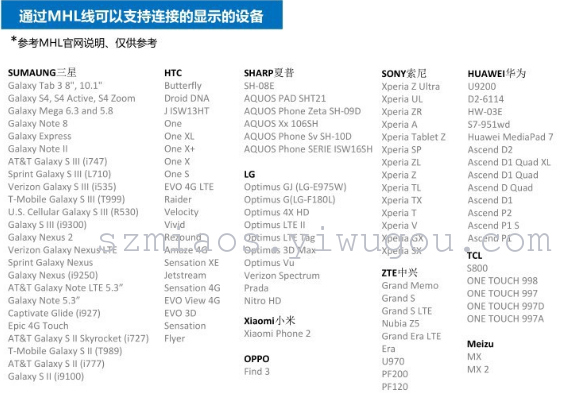
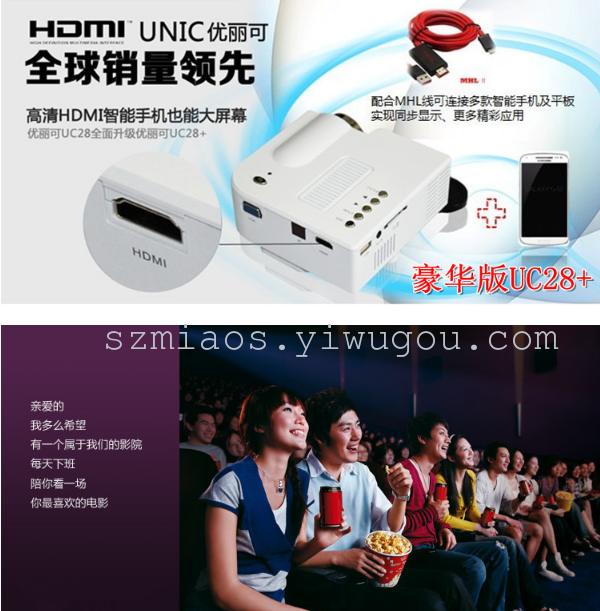
MHL connection for mobile phones: 1). MHL must be powered by an external power supply (5V 1A), otherwise it cannot output to HDMI. 2). After connecting the MHL cable, you must restart your phone. Remember, the first time you use the MHL cable, make sure to plug it into your phone and restart it, otherwise there will be no HDMI output. 3). MHL output does not require any settings, and it will automatically output after rebooting the phone. 4). After connecting the MHL cable, a HDTV symbol will appear on your phone (some phones may not show it). Your phone will also show that it is charging. 5). Supports 1080P output. 6). MHL is universal! (As long as your phone supports the MHL protocol, it can be used.) 7). If the phone is flashed with a new ROM, it might not support MHL output. Product Features: 1. A compact adapter allows you to play the videos and images from your phone on a high-definition TV, monitor, or projector. Resolution: 1920x1080/60Hz Full HD 3. Supports audio: 192KHz compatible with the latest standard 7.1-channel LPCM (Linear Pulse Code Modulation) surround sound and compressed audio. 4、Suitable for products with built-in MHL transmitting chips on Android platforms.
Finding high quality products in Yiwu
China, Yiwu China Commodity Market (Yiwu wholesale market), the
World's Largest Commodities Trading Center Online.