
Search history
Clear allSearch by image
XDrag and drop an image here or upload an image
Max 5MB per image
UploadSign In | Join

Search history
Clear allSearch by image
XDrag and drop an image here or upload an image
Max 5MB per image
UploadSign In | Join
SHUOFENG ELECTYONIC TECHNOLGY CO.LTD 12yr.
Contacts Diana Chat
Mobile 18358005552
1048612396

WhatsApp 8618358005552
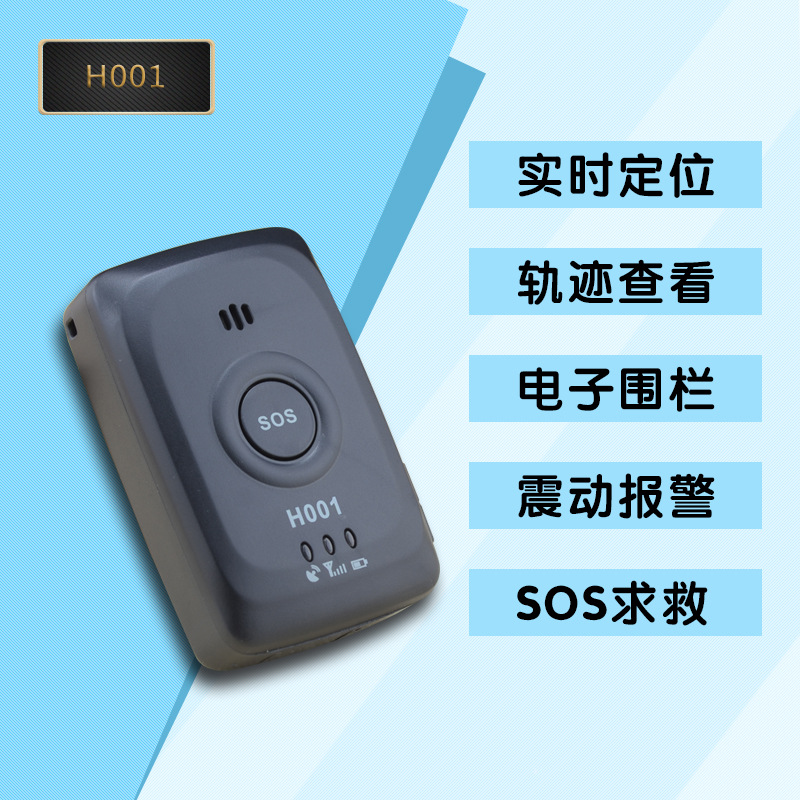
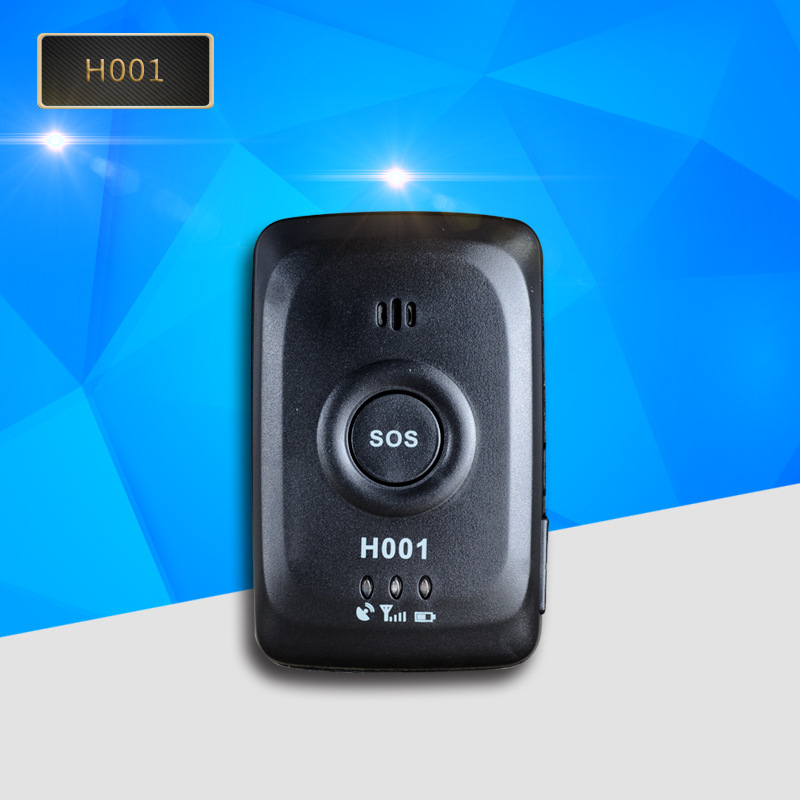

H001Instruction Manual
GPSPositioning communication equipmentH-001YesGPSandGSM/GPRSThe device is a small, high-precision remote positioning device. It is composed of a remote positioning and tracking management device.GPSBased on satellites, it provides you with accurate position information under dynamic conditions. Remote positioning devices send longitude and latitude coordinates and positioning information to service platforms and authorized mobile phones. You can use these features to manage your own devices. The battery standby time120hour(5Heaven")working hours24Hour.
1. Preparations Before Use
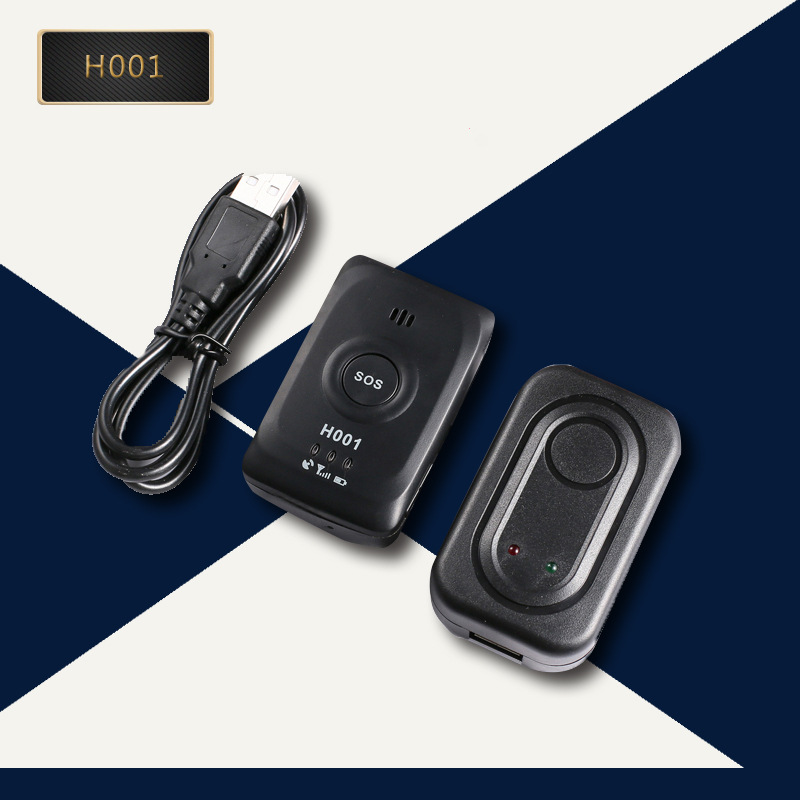
1Open the packaging box, check if the device model is correct, and whether the accessories are complete. If not, please contact your distributor;
2andInsert a card.GSM/GPRS SIMKaraSIMPlease activate the service before using the card (data traffic)GPRS),并确保设备SIMThe card has a fee.
3Usage Notes:
Suggestion: The location of the equipment should be as close to the front windshield as possible.
★ Avoid placing the device together with the source of emission, such as rear-view radar, anti-theft devices, and other in-car communication equipment;
★Equipment is built-in withGSMAntennaGPSAntenna, ensure when installingGPSReceive the face to the sky(Signal indicator lightGPSreceiving surface")and there are no metal objects blocking above;
★If the windshield is attached with a metal insulation layer or heating layer, it will reduceGPSReceive the signal, causeGPSWork malfunction, please replace the equipment installation location.
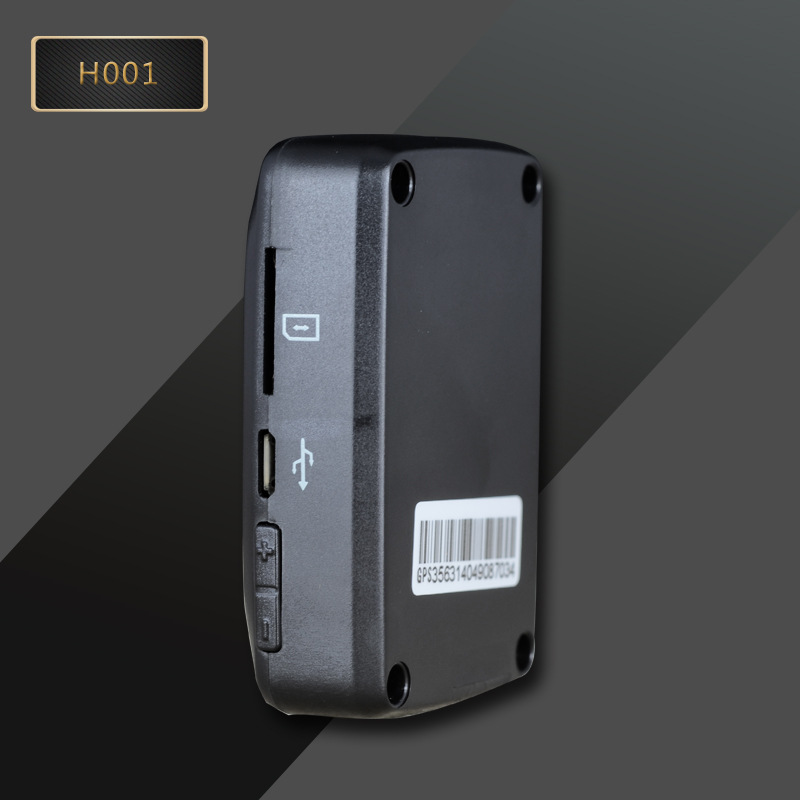
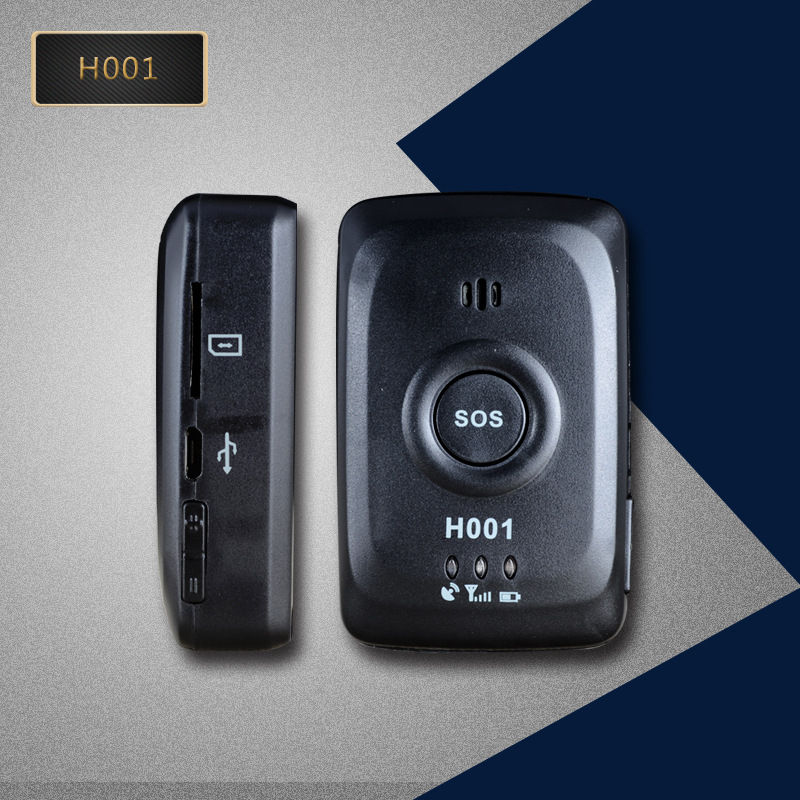
II. Product Function Key Diagram:
Three, Function and its operation method
The use of the SMS command follows the coverage method, which means that for the same setting of a function, the last effective command applies.
1Insert Card to Power On: There is a " on the side of the machine.SIMInsert the card into the slot accurately according to the machine's diagram standards.SIMCard. Insert the card and the indicator light will turn on. The meaning of the indicator light is as follows:
● During the initialization process, all three indicator lights are continuously lit. After the initialization is complete, the device enters a sleep mode, and all three lights turn off.
● Working Status Blue light, yellow light, and red light flash alternately to represent the standby state;
●GPSstate blueLEDSlow flash represents a located position, while fast flash represents an unlocated position.
●GPRSstate yellowLEDSlow flash represents that the server is already connected.Flash represents a server that is not connected.
● Battery Status redLEDSlow flashing indicates normal voltage, while fast flashing indicates low voltage requiring charging (for detailed battery level, please log on to the platform or check the mobile client to view the remaining battery percentage). When the battery is low, the platform will also issue an alarm to remind you. The charging status is always on.
● Slow flash twice a second, flash twice a second
Shutdown: RemoveSIMThe card automatically turns off.
2、Setup Authorization Code: The authorization code is used for SMS control settings, and without an authorization code, you cannot achieve all SMS settings functions. Send the SMS '0000#PasswordHashmobile phone numberHashTo the deviceSIMThe device will respond with a message indicating the successful addition of the authorization number on the card number. The default factory password for the device is "123456如发送‘0000#123456#13800138000#Set up multiple numbers to send SMS0000#PasswordHashmobile phone numberHashmobile phone numberHashmobile phone numberHashCan be set multiple times.7个号码
Delete all authorized numbers to send a text message.0000#123456#手机号" to "设备里SIMOn the card number.
3andSOSEmergency Help: Press and hold the large circle in the middle of the device.SOSButton3Second, dial the authorized number once in a loop. If the phone is answered in the middle, it will not continue to dial, and if there is no answer, it will continue to dial until the end of the loop. At the same time, giveAPPSend an alarm notification.
4Vibration Alarm: Send a text message command '6666#To the deviceSIMCard number, device will reply, vibration alarm binding success, when the device is moved or vibrated, the device will call back to the bound mobile phone, realizing the function of remote microphone. To cancel the binding, you can send a text message command '6666##To the deviceSIMCard number, device response, vibration alarm has been cancelled.
5Voice-activated alarm: Send a text message command '7777#To the deviceSIMCard number, device response, voice control alarm has been bound. When the device is surrounded by more than60When the decibel is reached, the device will call back to the bound mobile phone, enabling the function of remote microphone pickup. To cancel the binding, send a text message with the content '7777##To the deviceSIMCard number, device response, voice control alarm has been cancelled.
6Send a text message command '8888#To the deviceSIMThe card number, the device will reply with a MMS containing a photo taken from the front-facing camera of the device.
7Real-time Location: Send a text message command '9999#To the deviceSIMThe device will send you a text message with a link to a website and the battery percentage shortly. You can view the current location of the device through the link, and the battery percentage represents the remaining battery life.
8Battery Check: To check the battery level, please refer to the previous message or APPThe positioning function can be viewed.
9Fence Alarm: Send a text message command '3333#DistanceHashTo the deviceSIMCard number, device response, fence alarm has been activated. If you send '3333#500#' represents when the device position exceeds the set fence.500The radius range of the meter will send an alarm message toAPPAnd the PC end. Cancel the fence alarm can send a text message command '3333##'
10Speeding Alert: Send a text message command '2222#SpeedHashTo the deviceSIMCard number, device response, speed limit alarm has been enabled. If you send '2222#100#'代表当速度大于100km/hWhen the vehicle exceeds the speed limit, an over-speed warning message will be sent toAPPAnd the PC end. To cancel the speed limit warning, you can send a text message command '2222##'
11Restart Device: Send a text message command '1144#123456#To the deviceSIMCard number, device restart and reply, device is restarting.
12、Restore to factory settings: Send a text message command '1122#To the deviceSIMEnter the card number, then restore the device to the factory settings and reboot.
13、IMEIQuery: Send a text message command 'IMEI#To the deviceSIMCard number, device sends a digital message to the machineIMEI码。
14、IMEISetup: Send a text message command 'IMEI#15digitHashTo the deviceSIMCard number, device reply setup successful.
15、Password setting: To change the password, send a text message with the command '1133#Old passwordHashNew PasswordHashTo the deviceSIMThe card number can be modified; the initial password can be restored by sending a text message command '1133#To the deviceSIMCard number; The default factory initial password of this device is123456
16Remote microphone pickup: Authorized bound numbers can dial the device directly.SIMThe card number can achieve the function of one-way listening.
Number 17Language switch: Send a text message command '0086#代表切换到中文;发送指令‘0044#The default language setting for the device is Chinese when it is factory-set.
18Tracking Query: Send a text message command '11#TimeHashTo the deviceSIMCard number, to start the tracking query. Such as '11#60#'代表每60Upload location once per second, with a range that can be set.10second-----7200Seconds. To turn off the tracking, send a text message with the command '00#To the deviceSIMThe card number is on. The device's factory default initial setting is set to off for tracking query.
Section Four: APPClient Operation Instructions
APPLogin
1.Need to pass through the equipmentIMEIAnd the default password123456Manual input loginIMEICode see machine side)
The interface is as follows:
LoginDone, enter.FunctionMain Interface.
The interface is as follows:
Function Description:
2.Alarm Information:
After various equipment alarms, the client will receive alarm push notifications and can enter the alarm to view the content.
3.定位:View the device's location in real time. In the initial interface, select Tracking → Device List, then click on the device information to enter the location interface. The map interface can display the device's location.Upload interval is set to default.10minute。
When the icon isIt's base station positioning.YesGPSLocate. Press Change Map Mode
Press enterEnter FunctionSet
4、trajectory:Select the replay function on the initial interface to enter the operation. You can check past events.3Monthly TrackingGreen route forGPSBlue LineLocation-Based Services)
5.SetSet up the various equipment settings.
Five, Remote management
Customers can directly manage and view the location of the equipment, historical replay, set up fences, and other functions on their computers. Please go to...www.365gps.netThe URL is user-specific or 'user-specific.'IMEIDefault password for the platform login123456
Section Six: Troubleshooting
1.After installation, the platform shows that it has not been started or is not online.
-Observe whether the device's indicator light is normal, and pop up.SIMInsert the card and turn on the machine.
- SIMHas the card been activated, and has it been opened?GPRSFunction
-Is there any coverage in the area where the equipment is located?GSMSignal weak in basement, please drive to a place with signal to use.
2.The indicator light is not lit.
-Check if the device is powered on.
-CheckSIMIs the card inserted correctly?
3.The platform has been showing offline status all the time.
-Observe whether the device's indicator light is normal, and pop up.SIMInsert the card and turn on the computer
-CheckSIM"Is there any debt, is it opened?GPRSFunction
-Change another oneSIMKalees
4.Location tracking is not updated
-Observation EquipmentGPS / GPRSIs the indicator light working normally?
5.No alarm warning
-Reset the alarm command
If the problem still persists, please disassemble the device and return it to your dealer for repair.
7. Technical Specifications
1. GSMFrequency Band:850/900/1800/1900MHz
2.Working Voltage: 7-55V DC
3.Working Current: <50mA (12vDC)
4. GPSLocation time: Cold start? P38sAll open-air outdoor Warm start? P32sHot restart? P2sAll open-air outdoor
5. GPSPositioning accuracy:5m
6.Battery:3.7V 1300mA
7.Work environment temperature:-20Celsius to+70"℃" is the symbol for Celsius temperature scale.
8.Appearance dimensions: 64(L")×41(W")×19.5(H)mm
|
Android QR Code |
|
IOSQR code |
Eight, APPDownload
Update time:


TOP


