
Search history
Clear allSearch by image
XDrag and drop an image here or upload an image
Max 5MB per image
UploadSign In | Join

Search history
Clear allSearch by image
XDrag and drop an image here or upload an image
Max 5MB per image
UploadSign In | Join
SHUOFENG ELECTYONIC TECHNOLGY CO.LTD 12yr.
Contacts Diana Chat
Mobile 18358005552
1048612396

WhatsApp 8618358005552
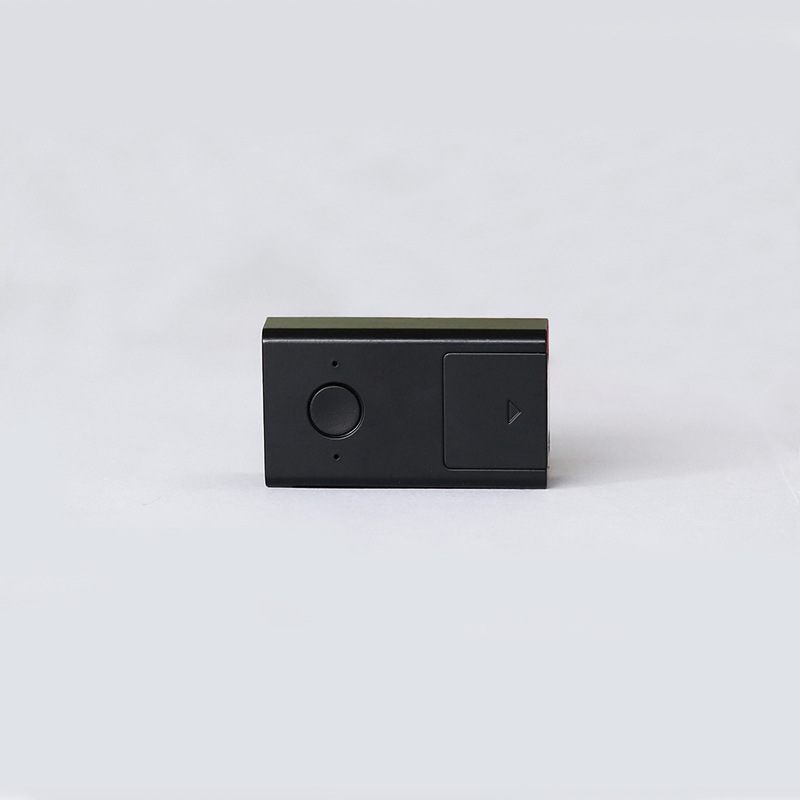
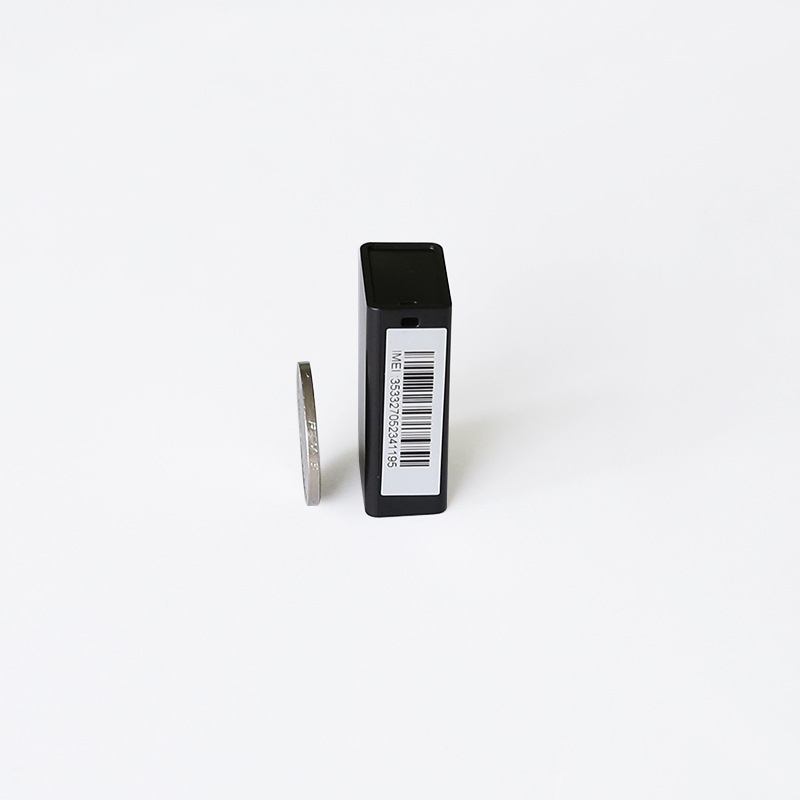
Miniature GPS tracker for cars, motorcycles, and electric vehicles with N11 upgrade version featuring an SOS button





1、简介
This product uses the latest intelligent seven-base station positioning system, which is more accurate and faster than the traditional single and triple base station positioning systems. It is equipped with the latest V3 Google Maps, supporting most countries. It has a voice-controlled alarm function, is compact in size, has clear voice, long standby time, and stable performance. It is easy to install and is mainly used for home surveillance, monitoring and guardianship of children, the elderly, pets, and anti-theft tracking functions for cars, warehouses, and other purposes.
2、Technical Specifications
GSM Frequency Bands: 850/900/1800/1900
GPRS: Upload 60, TCP/IP
Working Voltage: 3.4-4.2V DC
Standby Current: ≈2.5mA
Activate voice-controlled current: ≈30mA
Calling current: ≈150mA
GSM Location Time: 35 seconds
Working environment temperature: -20°C to +50°C
Working environment humidity: 20%~80%RH
Dimensions: 41(L)X23(W)X14.5(H)mm
3. Charging Indicator Light Explanation
When the host is charging, the indicator light will blink; when fully charged, the indicator light will stay on. (Charger requirements: 5.0V, current ≤2000mA, compatible with Apple and Samsung chargers)
4、Instruction for Use
4.1 Power On:
Open the small cover on the device, insert the SIM card into the slot and it will automatically power on. When the device powers on, the indicator light will flash for a few seconds. After the light stops flashing, close the small cover and you can use the device.
Attention:
Please use a SIM card with a good 2G--GSM network signal (such as: mobile).
The terminal SIM card needs to be activated for call display.
The SIM card at the terminal needs to be enabled with the GPRS function.
The SIM card PIN code is in the off state.
4.2 Setting the Master Control Number
Dial the SIM card number on your device, and when you hear the surrounding sound for about 20 seconds, your phone will receive a "Master Control Number setup successful" message ring. At this point, hang up the phone. If you do not receive the "Master Control Number setup successful" message, it means that the master control number setup has failed.
4.3 Restore to Factory Settings
When the terminal's setting parameters cause the terminal to operate abnormally due to incorrect settings, you can send a text message command to restore the terminal parameters to the default settings of the terminal's factory settings, attempting to restore the terminal to normal operation.
The command for restoring to factory settings is: factory#
When the terminal receives this command, it will reset its settings to the factory default values, and all manual settings made previously will be lost (including service center numbers, etc.).
If the terminal restores to the factory settings successfully, then reply “恢复出”
Factory setup successful
4.4 Position Network Link SMS Inquiry
When needing to query the location network connection information of the terminal device, you can send 'url #' to the SIM card of the terminal device, and the terminal will reply with the location information of the last time it was located.
Command: url#
Location query SMS reply message example:
battery=100%,http://minigps.net/loc.do?x=012743&y=10081&z=002564251&n=0&c=460&a=10136&e=4272&s=21&v=m1.0&l=ch_ZN&p=3
Click on the website link to view the Chinese location and map image location, or you can also enter the map to view the location.
4.5 Platform Inquiry
Support web, Apple, Android query, open the website _________________ Cluster users please choose account login, individual users please choose ID number login, enter the password to view and operate on the service platform.
4.6 Emergency SOS Setup and Operation
4.6.1 SOS Setting
To set the SOS number, you need to send the following text message through the master control number phone to add the SOS number:
For example: Set the designated number as the corresponding SOS number.
"sos1,13412345678#" 表示设置第一个电话
"SOS2,13512345678#" means setting the second phone.
"SOS3,13612345678#" means setting the third phone.
If the SOS1 number is set successfully, the terminal will reply with "The first SOS number is set successfully!"
4.6.2 Remove the SOS number
If you need to delete a specific number, you can send a command text message with the corresponding sequence number to the terminal to delete the specified specific number.
sos1,d#" 表示删除第一个电话
sos2,d#" 表示删除第二个电话
"SOS3,D#" means "delete the third phone number".
4.6.3 Emergency Help Operation
When encountering an emergency that requires assistance, you can press the SOS button to trigger the SOS emergency help alarm. The alarm will be sent to the pre-set SOS numbers via phone. If the SOS number is dialed repeatedly and no one answers, the maximum number of attempts is two.
Note: The SOS alarm function requires the SOS number to be pre-set!
4.7 Set the GPRS transmission interval for positioning data
The default GPRS transmission interval for location data at the terminal is
600 seconds, that is, upload a location every 600 seconds to the platform server
Data. To set the GPRS transmission interval for location data, edit
Send GPRS Timing Setup Command
Command format: upload, scheduled time (seconds) #
Timing setting range: 60-180000 seconds
Example: upload,60#
Example indicates that the GPRS transmission of location data interval is 60
Second, that is, every 60 seconds to upload a location data to the background server
If the setting is successful, the reply will be 'Upload interval time set to'
Success! Interval time is '60' information
4.8 Voice-Controlled Remote Switch
Note: The voice control is set to the default off state.
4.8.1 Send the text message "1111" to the device's SIM card number using your mobile phone. Once the text message is sent successfully, the voice control function will be activated.
Voice activation command: 1111
If the voice control activation setting is successful, please reply with the message 'Voice control activation setting successful'.
4.8.2 Send the text message "0000" to the device's SIM card number using your mobile phone. After the text message is sent successfully, the voice control function will be turned off.
Voice control shutdown command: 0000
If the voice control shutdown setting is successful, please reply with the message 'Voice control shutdown setting successful'.
4.9 Voice Control Sensitivity Settings
When the voice control sensitivity of the device does not meet your needs, you can send a text message to adjust the device's voice control sensitivity. When the device is manufactured, the default value for voice control sensitivity is 83.
Command format: level, sensitivity value #
Sensitivity value setting range: 30 -- 100, the larger the sensitivity value, the more sensitive the device's voice control sensitivity.
Example: level,83#
Example: The device's voice control sensitivity value is set to 83.
If the sensitivity setting is successful, the message "Voice control sensitivity setting successful! Sensitivity is 83" will be restored.
4.10 Terminal Reboot Function
When the terminal experiences abnormal operation, such as failure to locate, you can send a text message command to the terminal to cause it to execute a remote reboot, restoring the terminal to normal operation.
Terminal reboot setup command: reset#
When the terminal receives this command, it should immediately restart.
If the terminal restart setting is successful, reply 'Restart successful'
Information
4.11 Query Parameters
When you need to check the status of the parameter settings of the terminal device, you can send a text message with the command 'param#' to the SIM card number of the terminal device. The terminal will reply with the corresponding parameter query content.
Example: param#
Example of returned content:
IMEI: 386201209006236
apn:cmwap
IP:usa.gpsjm.com:8500
UPLOAD:1800
CENTER:12345678901
LEVEL:80
LANG:EN
ZONE:E8
4.12 Check the software version number
Check the software version information of the current device
指令:verno#
Example of returned content: N12—V1.0 2016/07/20 18:00
5. Attention:
* New machines should be fully charged before use to achieve the best performance.
* Charger Standard: ±5.0V, Current ≤2000MA, to avoid damage to the host.
* When installing, please note the strength of the GSM network signal. Do not install in places with no signal or weak signal, as this may affect the use effect or make it unusable.
The light does not work, the battery is dead, charge it and then use it.
*Unable to dial, please reinsert the SIM card and turn on the device or charge it again to test.
* Do not automatically answer, reinsert the card and turn on the machine.
Update time:


TOP


