
Search history
Clear allSearch by image
XDrag and drop an image here or upload an image
Max 5MB per image
UploadSign In | Join

Search history
Clear allSearch by image
XDrag and drop an image here or upload an image
Max 5MB per image
UploadSign In | Join
Name: Temperature and Humidity Meter
Size: 1.0×1.5×0.2 CM
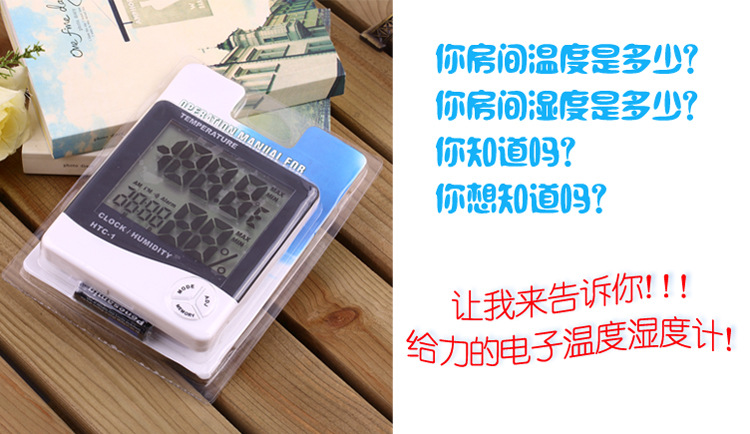
Packaging: Folded PVC box + paper card (comes with a 5V battery)
Quantity: 150 pcs
Inner box: 50 PCS; Dimensions: 61*31*14 CM
Box dimensions: 62*32*43.5 CM
Net weight: 17 KGS
Gross weight: 18 KGS
Carton: 1.2.5*1.0.5*5.3 CM


This needs some explanation. It means that in a very dry environment with almost no humidity, its accuracy will also decrease. Unlike temperature, humidity cannot be measured with precision of about ±1 degree; even in a laboratory, this is not possible. This device is sufficient for household humidity measurement—it is definitely much more accurate than those on humidifiers! However, it is only for home use. It will tell us whether the room needs humidification or dehumidification. As a guardian of your healthy living space, it is highly competent!
Product specifications
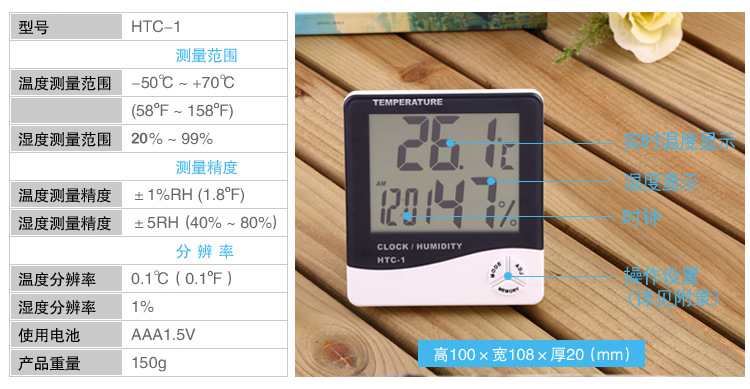
Temperature measurement range: -1.0℃~+5.0℃ (+4.4℉~+12.2℉)
Temperature measurement accuracy: ±1℃ (1.8℉)
Temperature resolution: ±0.1℃ (±0.2℉)
Humidity measurement range: 10% ~ 99% RH
Humidity measurement accuracy: ±5% RH
Humidity resolution: 1%
Battery usage: AA battery
Basic Features
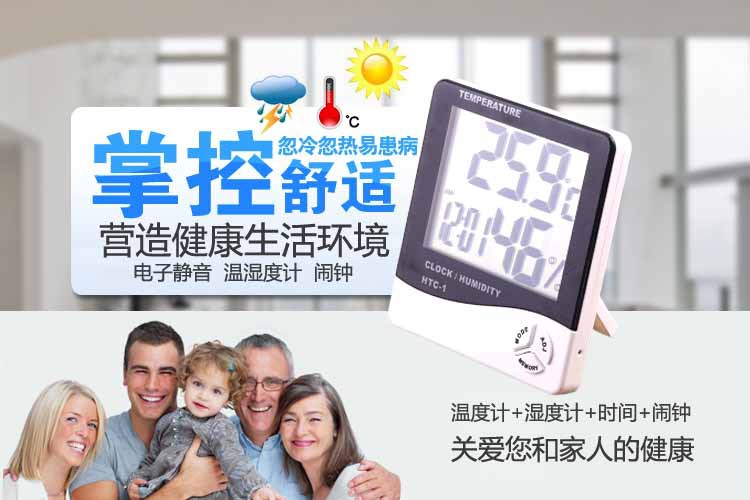
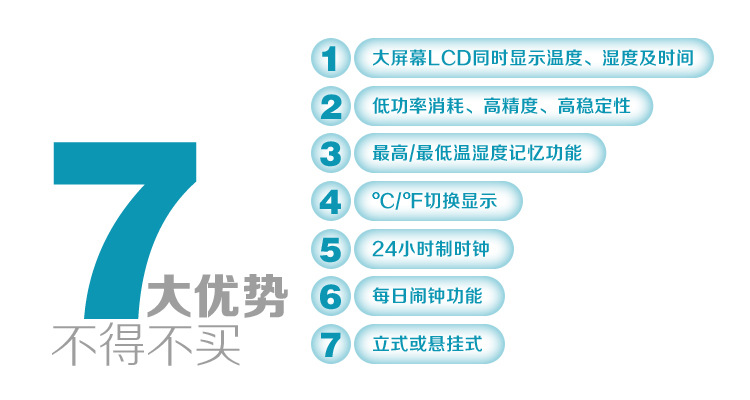
Temperature/Humidity Display
℃/℉ Temperature Switching Display
Temperature and humidity memory function at the highest/lowest levels
12/2-4 Hour Clock
Clock reporting function
Daily alarm function
Calendar display function
Operation Instructions
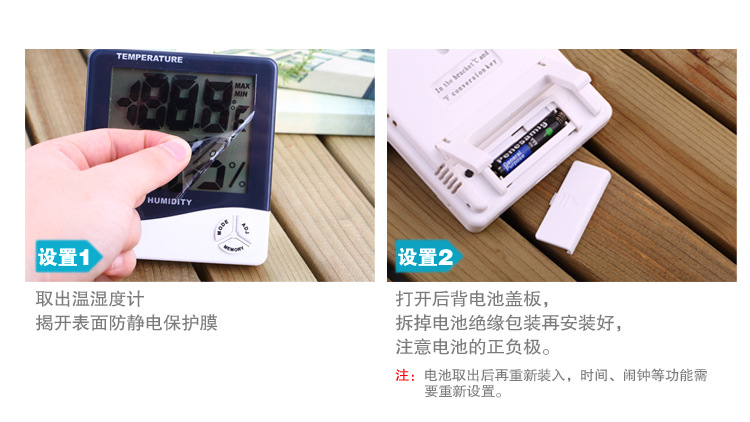
1. Push the battery door in the direction indicated by the back of the device, insert the battery, then reseat the battery door—the device will be ready to use.
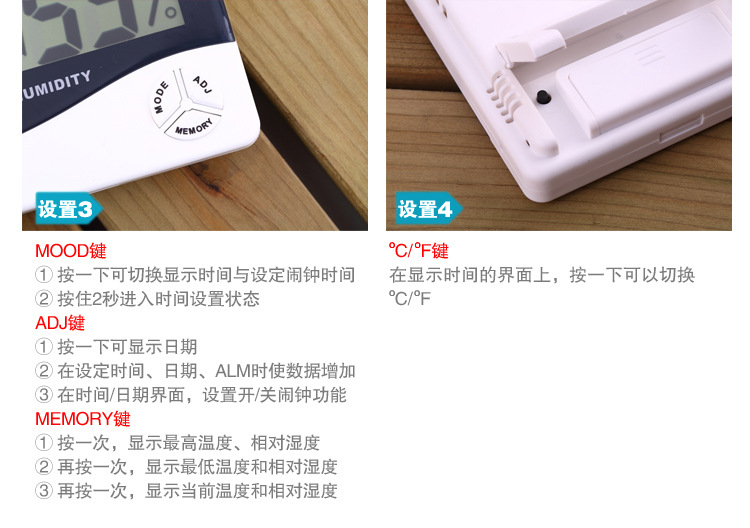
2. Key functions: 【MODE】Switch between clock and alarm display modes; set the current clock, alarm, 12 or 24-hour format, and date; 【ADJ】Adjust the values of selected items; 【MEMORY】Display the highest and lowest temperature and humidity values stored in memory; clear the highest and lowest temperature and humidity values from memory; 【℃/℉】Change the temperature unit to display in ℃ (celsius) or ℉ (fahrenheit); 【RESET】Clear all settings and memory values, returning to the initial state.
3. Press and hold [MODE] for 2 seconds in the initial state, and the minutes and seconds of the current time will start flashing. Press [ADJ] to adjust the minutes and seconds.连续 pressing [MODE] allows you to set “Clock”, “12/24”, “Month (M)”, and “Day (D)” respectively.
4. In the current clock mode (where the two dots between the hour and minute flash once per second), press [MODE] once to switch to alarm mode (where the two dots do not flash). Then, press [ADJ] to toggle the “Alarm” function or the “Hourly Alarm” function on/off. Hold down [MODE] for 2 seconds to set the alarm time and activate the “Hourly Alarm” function, after which the symbol will appear.
5. In alarm mode, if no action is taken, it automatically returns to the current clock after one minute. Press [ADJ] once to switch to calendar display, and after 3 seconds, it automatically returns to the current clock. Press the [MEMORY] button to display the maximum and minimum values of temperature/humidity since the last clear (CLEAR).
6. By selecting [MEMORY], the maximum and minimum values of temperature/humidity for memory can be displayed. Holding [MEMORY] for more than 2 seconds will clear the maximum and minimum values.
7. Key F°/C° conversion within the bracket
Precautions
1. If any malfunction occurs, replace the battery;
2. Please return the batteries to the designated location set by the government after they are used up.
Update time:


TOP


