
Search history
Clear allSearch by image
XDrag and drop an image here or upload an image
Max 5MB per image
UploadSign In | Join

Search history
Clear allSearch by image
XDrag and drop an image here or upload an image
Max 5MB per image
UploadSign In | Join
SHUOFENG ELECTYONIC TECHNOLGY CO.LTD 12yr.
Contacts Diana Chat
Mobile 18358005552
1048612396

WhatsApp 8618358005552
OBD GPS Tracker with Voice Listen Car Tracking Vehicle Anti-lost 2G GPS Locator Simple to Install Free Web APP
Ordering Notice:
*This product uses 2G GSM network,If your 3G/4G/5G SIM CARD can also support 2G network, then it is ok to use. But if your country have closed 2G GSM network,We suggest you choose our 4G GPS tracker. These countries already closed 2G network: Australia, Japan, China Taiwan, Sourth korea, Singapore, Canada, New Zealand.
*If you are in Chile or Colombia, after you receive the product, you should register IMEI in your country as soon as possible, otherwise the device is not allowed to be used in your country.
*If you are in Turkey or Pakistan, you can note the valid IMEI number of the local country in the order request. We will modify it for you.
Main Features
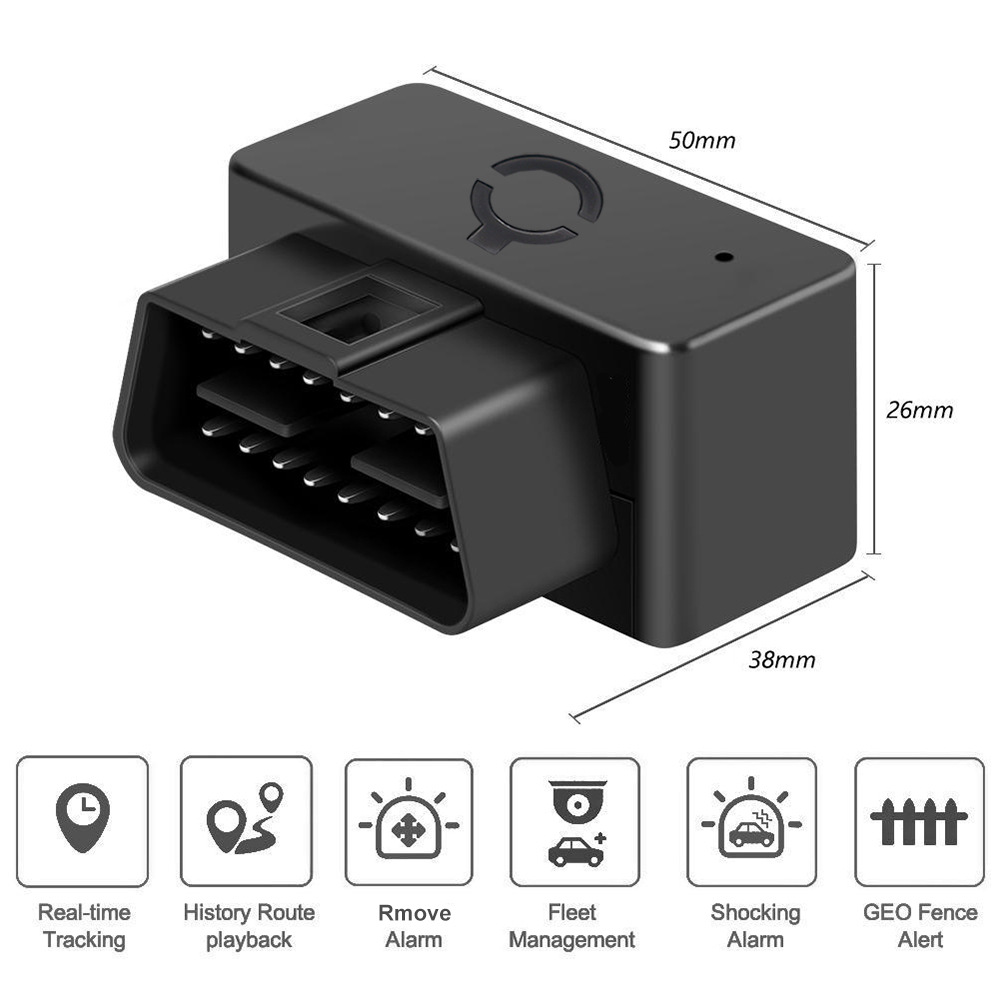
*Real-time tracking by SMS/platform/APP
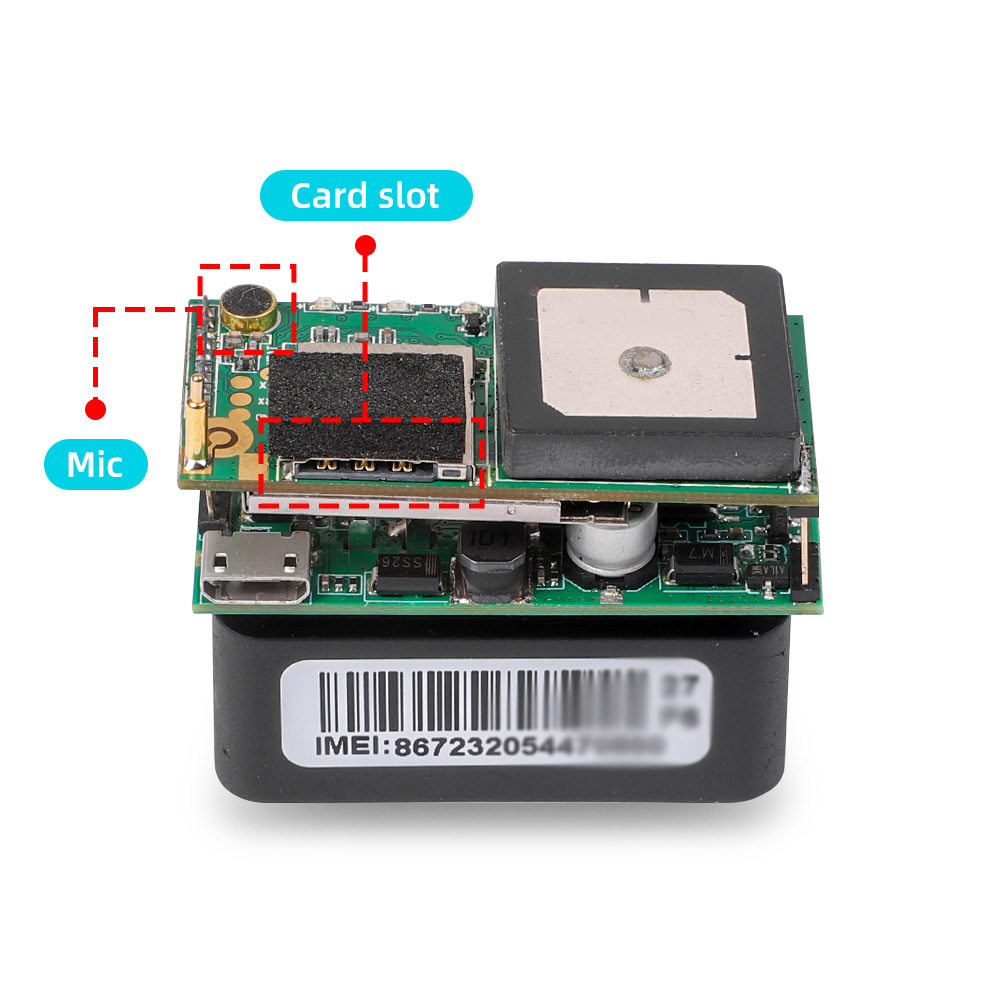
*RemotevoiceListening
*GPS + LBS positioning
*Geo-fence alarm
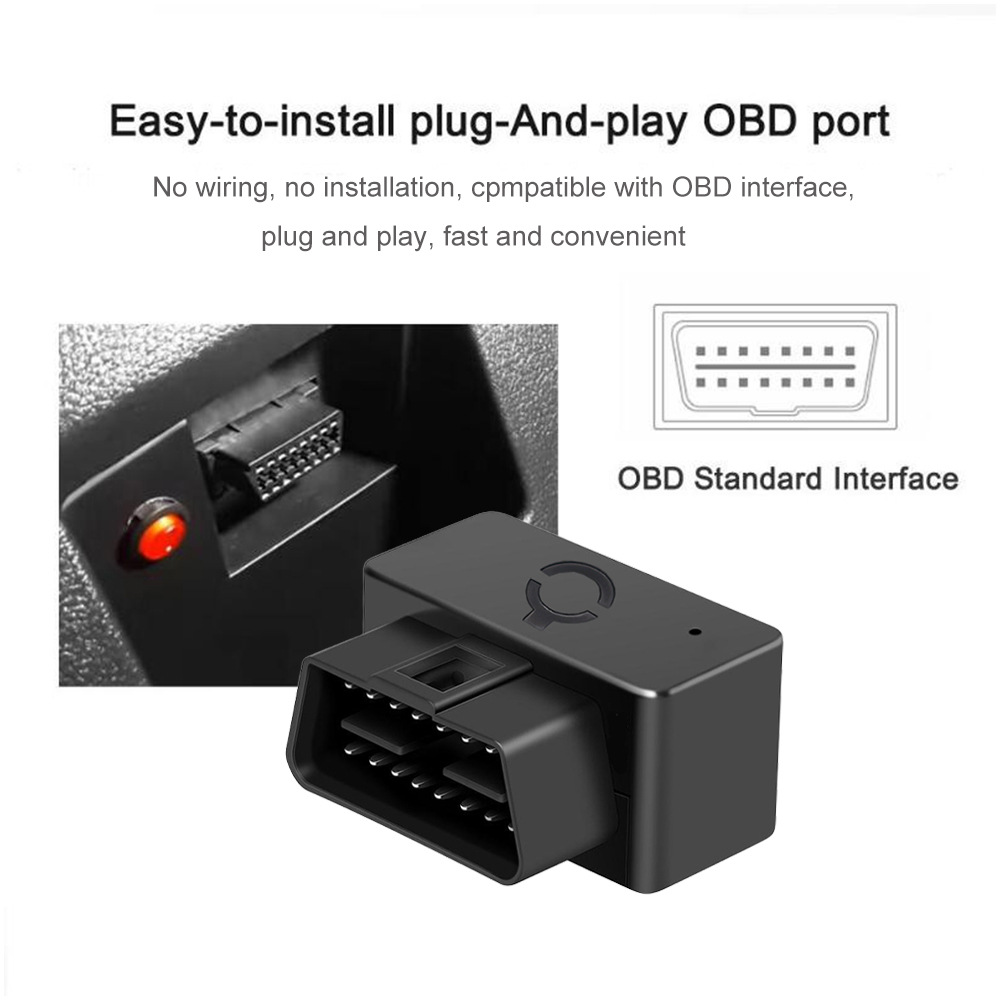
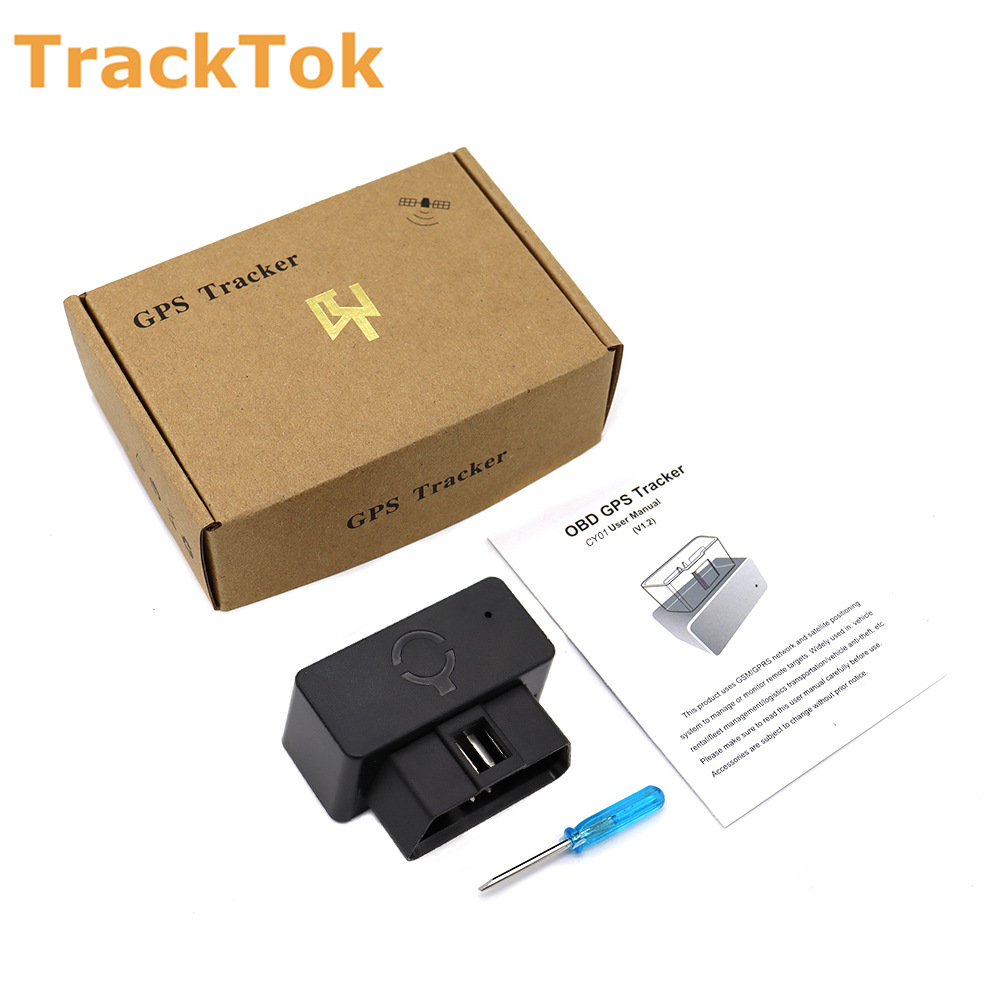
*OBD port design and easy installation
Over speed alarm
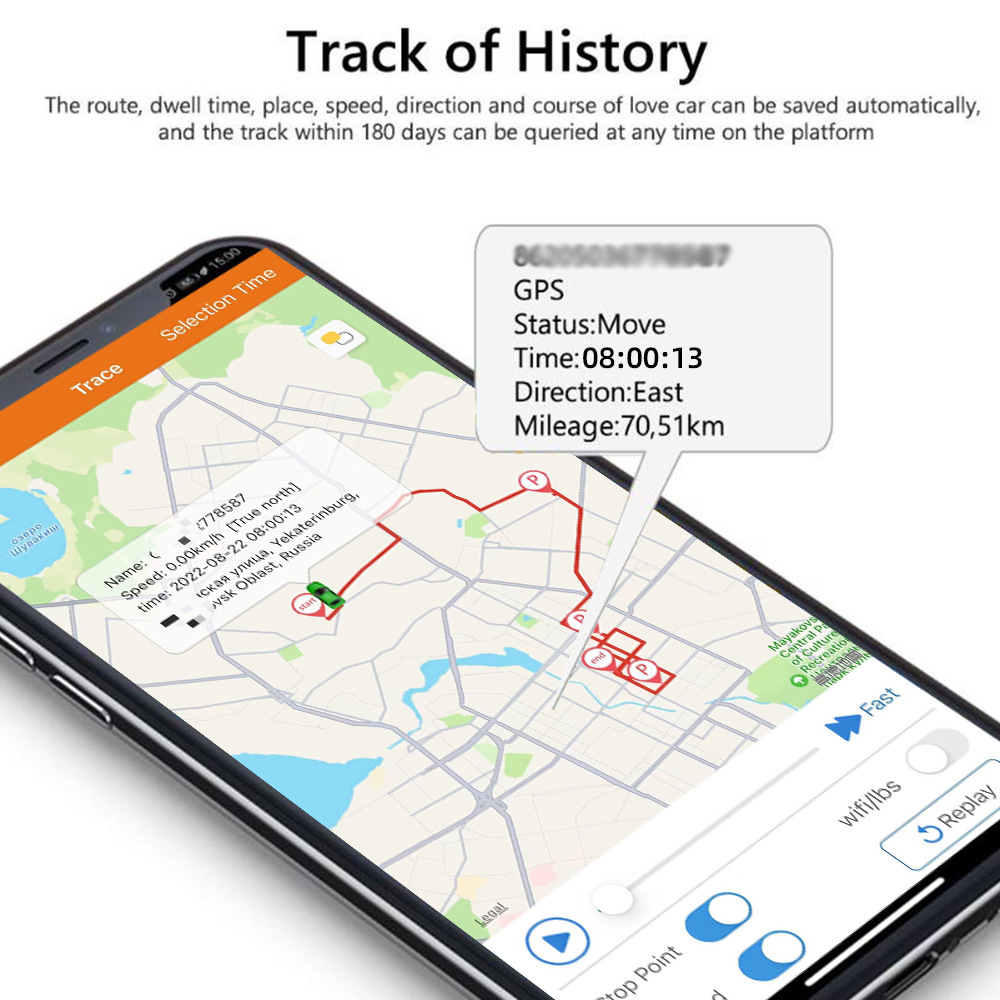
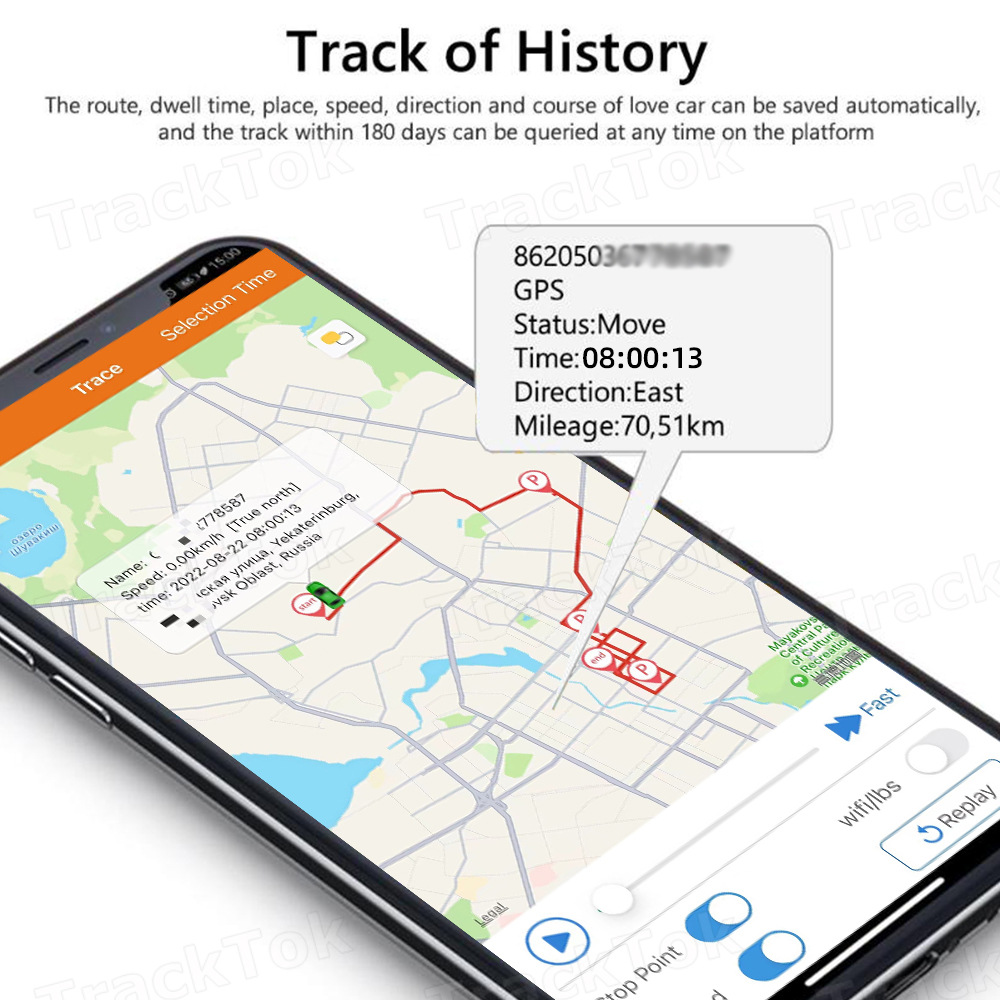
*History Tracking Playback
*Free Platform/APP
*Remove alarm (Need optional battery)
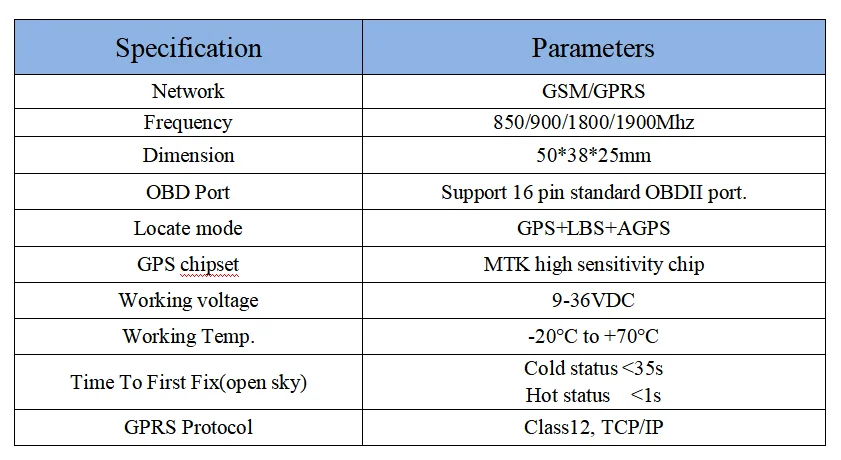
Specification


Optional accessories
You can also choose to add an OBD interface extension cable. Please consult the customer service for ordering.

What should you prepare after getting the device?
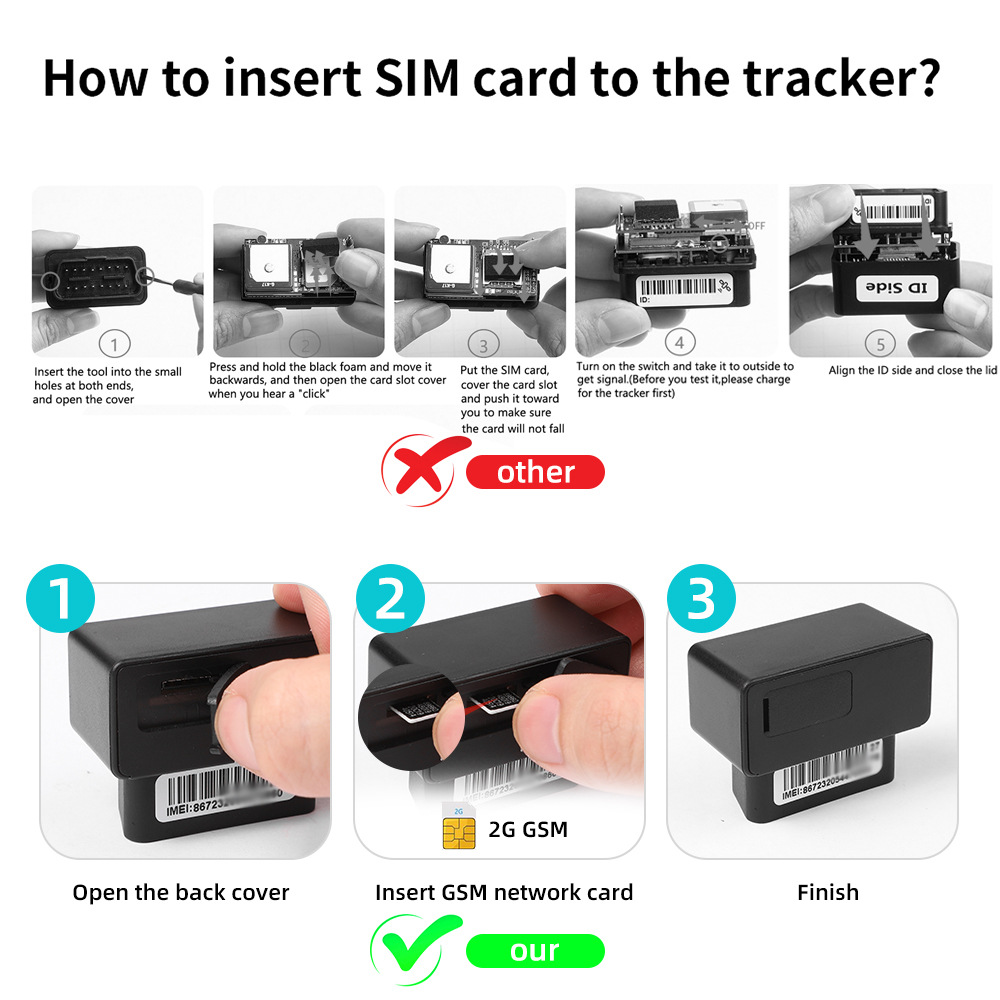
* Please obtain a suitable SIM card for this GPS tracker. The SIM card must be compatible with the 2G GSM network and must be a Nano-sized SIM card.
* Please enable the 'GPRS internet data traffic' and 'Caller ID Display' features of the SIM card.
Please ensure that the SIM card has enough balance and remove the PIN code.
* Please obtain these information from your SIM card provider: APN name, APN username, APN password.
How To Install It?
Install the device into the OBD interface of the car. In general, the OBD port is located in the driver or passenger cabin, from the edge of the dashboard on the driver's side to the border of 300mm. It is easy to touch by sitting in the driver's seat, the preferred location is within the area from the steering post to the vehicle center-line.

How to log in mobile APP and web server?
1. Set APN
* Set the APN of the device, and then it will be online tracked by the platform.
* If the device is already online after inserting the SIM card, there is no need to set APN.
We have two ways to get the APN content of the device's SIM card: Check the carrier on the internet or put the SIM card into a cell phone to find out the APN.
Set command:
APN, APN名称, APN账号, APN密码#
E.g.
If we have APN (Access Point Name) information below.
APN name: tim
APN username: brtim
APN password:tim
The SMS command: APN,123456,tim,brtim,tim#
If no APN name and APN password, no need to input, for example: apn,123456,cmnet#
2. Website Tracking
Website: www.gps2828.com
Use the IMEI number to login, IMEI NO.: On the sticker of the device.
Password:123456
3. Applications for Android/IOS:
Search for 'secumoreplus' in the Apple/Google APP Store or Scan the QR Code to install the APP on your phone.
Use the IMEI/ID number to login.
Password:123456
4. Admin Account
If you need multi-device management, you can contact our customer service to create an admin account for your devices.

Update time:


TOP


