Search history
Clear allSearch by image
XDrag and drop an image here or upload an image
Max 5MB per image
UploadSign In | Join

Search history
Clear allSearch by image
XDrag and drop an image here or upload an image
Max 5MB per image
UploadSign In | Join
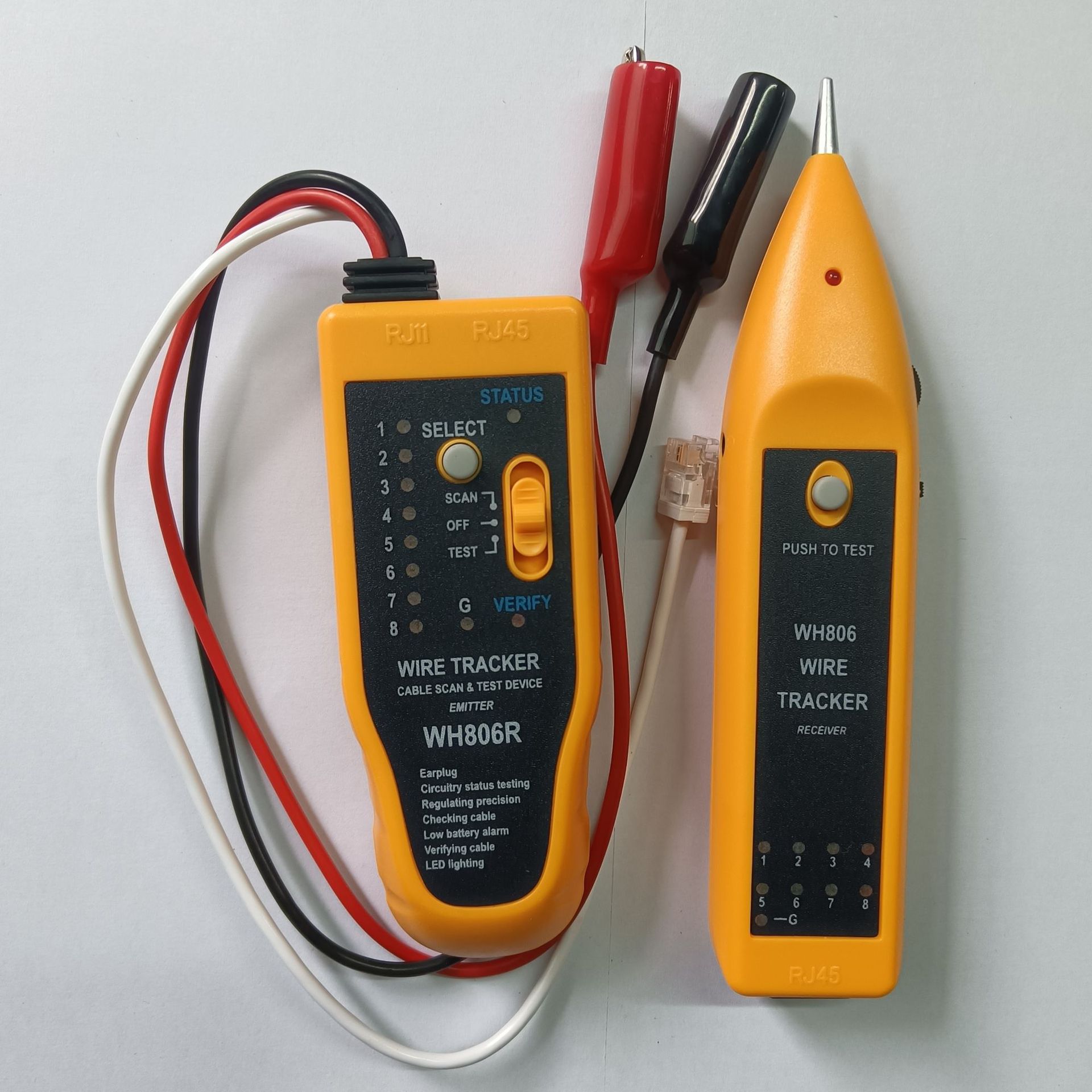
Advantages of the productDesigned and produced using unique data transmission technology, this multi-purpose communication line locator features three main functions: line finding, alignment, and breakpoint detection. It is an excellent tool for communication line installation and maintenance technicians. It can be widely used in telephone systems, computer networks, daily maintenance, metal wire line inspection, and routine maintenance tasks. Equipped with an LED light and headphones, it makes use convenient in dark and noisy environments.
General Product Features<t_OriginalText> : </t_OriginalText>
Phone line troubleshooting<t_OriginalText> : </t_OriginalText>
The red and black lines of the alligator clip are directly connected to two wires of the phone (806R). Turn the function toggle switch of the transmitter to the “SCAN” position; the “STATUS” indicator light on the cable locator will illuminate, indicating that the transmitter is working properly. Press and hold the step mode button of the receiver, then use the receiver’s probe to identify the target cable.
Open circuit or short circuit test<t_OriginalText> : </t_OriginalText>
Set the function toggle switch of the transmitter to the TEST position and hold down the function button of the transmitter. At this time, the VERIFY light changes from flashing to continuously on. Use the two clips of the alligator clip to hold both ends of the device under test. If there is a short circuit, the first light in the vertical row of the transmitter will turn on; the smaller the resistance value, the brighter the light. If there is an open circuit, the light will not turn on.
Network cable calibration<t_OriginalText> : </t_OriginalText>
The RJ45 connectors at both ends to be tested shall be connected to the corresponding interfaces of the transmitter and receiver respectively; turn the function toggle switch of the transmitter to the “TEST” position, and the VERIFY indicator light shall flash, indicating that the transmitter is operating properly; characteristics such as short circuits, open circuits, and cross connections shall be determined based on the 18 line sequence indicators. During the testing process, the function button (SELE) can be used to switch between fast and slow measurements.
Network cable location search<t_OriginalText> : </t_OriginalText>
Just plug the network cable with the crystal head directly into the network cable detection interface RJ45, turn the function toggle switch of the transmitter to the "SCAN" position. The "STATUS" indicator light on the cable detector will illuminate, indicating that the transmitter is working properly. Press the step mode button of the receiver down, and use the receiver probe to identify the target cable. The network cable detection range can reach up to 1 meter (depending on the environment).
Single-line breakpoint search<t_OriginalText> : </t_OriginalText>
Use the red or black wire from the crocodile clip to directly connect it to the line to be tested. Set the function toggle switch of the transmitter to the “SCAN” position; the “STATUS” indicator light on the cable locator will illuminate, indicating that the transmitter is working properly. Press the step mode button of the receiver downward, and use the receiver probe to search along the target line. When the sound suddenly becomes weaker or disappears, change the position to the breakpoint point.
DC Level Testing Function<t_XXXXXXXXX> <t_XXXXXXXXX>
Set the transmitter function toggle switch to the SCAN position, and hold down the transmitter's function button. At this time, the STATUS light will turn off while the VERIFY light will flash. Use both clips of the alligator clip to hold onto the two ends of the component to be tested. If the STATUS light is red, the red clip represents the positive terminal; if the STATUS light is green, the red clip represents the negative terminal.
Low Voltage Alert Function<t_XXXXXXXXX> <t_XXXXXXXXX>
When the transmitter function toggle switch is set to the TEST position, and the battery voltage drops below approximately 7V, the STATUS and VERIFY lights will flash simultaneously, indicating that the battery needs to be replaced.
Headset features: In noisy environments, you can wear the headset while operating, preventing external distractions from affecting your judgment.
Lighting function: In dark environments, turn the switch upward to activate the LED lights on the receiver, which can illuminate the working area.


Power Supply:6F22 Model 9V Batteries *2
Product dimensions:Transmitter: 1.25 * 4.9 * 2.9 mm :Receiver: 1.75 * 3.8 * 2.4 mm
Product weight:Transmitter: Approximately 92 (no battery) Receiver: 58g (no battery)
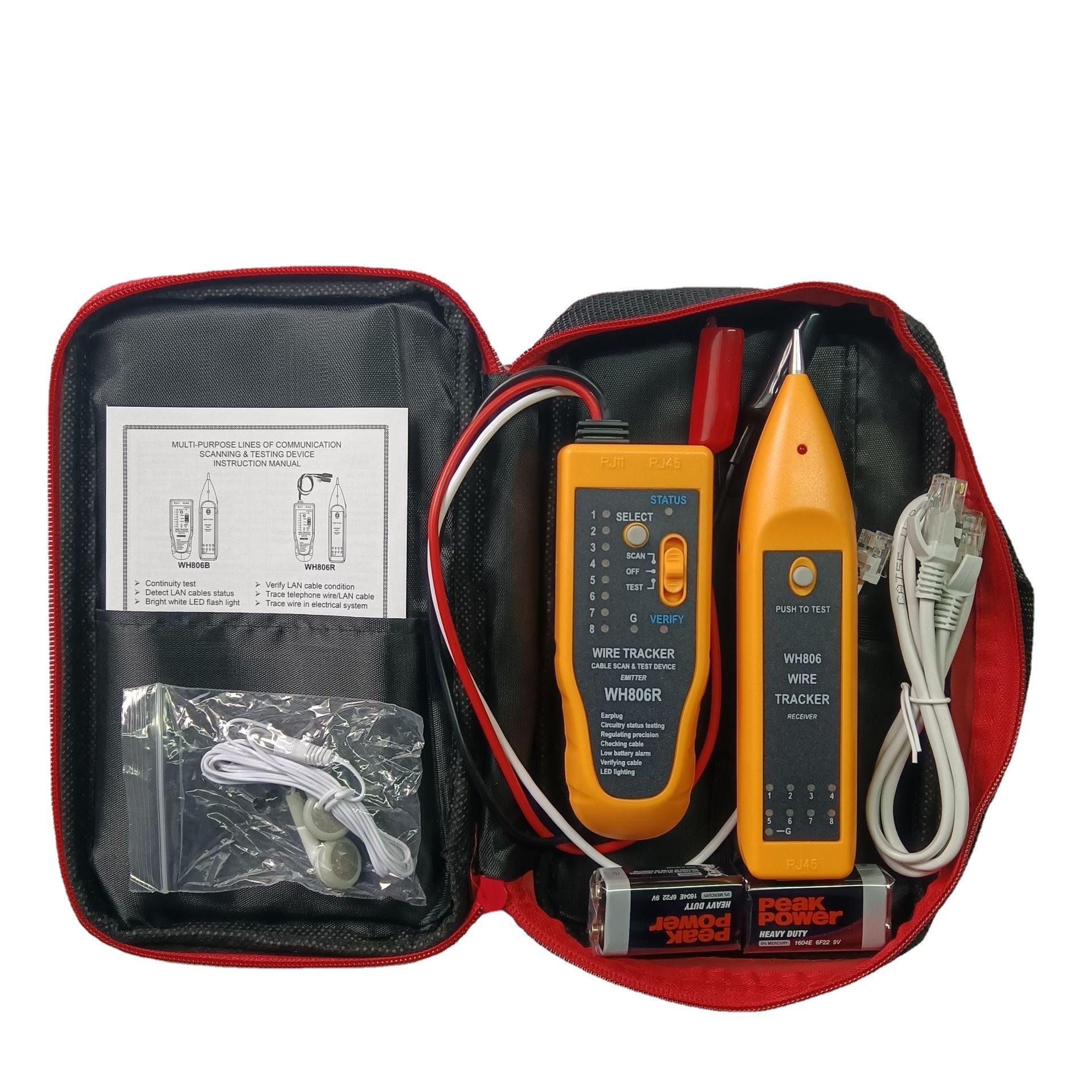
Standard configuration: Transmitter (no battery inside), Receiver (no battery inside), Case, RJ45 adapter cable, Headphones, Battery, User manual, Certificate of conformity (warranty card)
Update time:


TOP