Search history
Clear allSearch by image
XDrag and drop an image here or upload an image
Max 5MB per image
UploadSign In | Join

Search history
Clear allSearch by image
XDrag and drop an image here or upload an image
Max 5MB per image
UploadSign In | Join
Qivi Digital 2yr.
Contacts Lee Chat
Mobile 15392033619
WeChat 13362998253
WhatsApp +86 15392033619
What is 8.6 + 1,539,203,619?
WeChat: 1 5355 3509 32
Shop address: 2nd District, Yiwu International Trade City, Yiwu, Jinhua, Zhejiang Province, F2-13554, 9th Street, No. 22 Gate, 2nd Floor
1 89 58 49 35 35 4 Miss Li
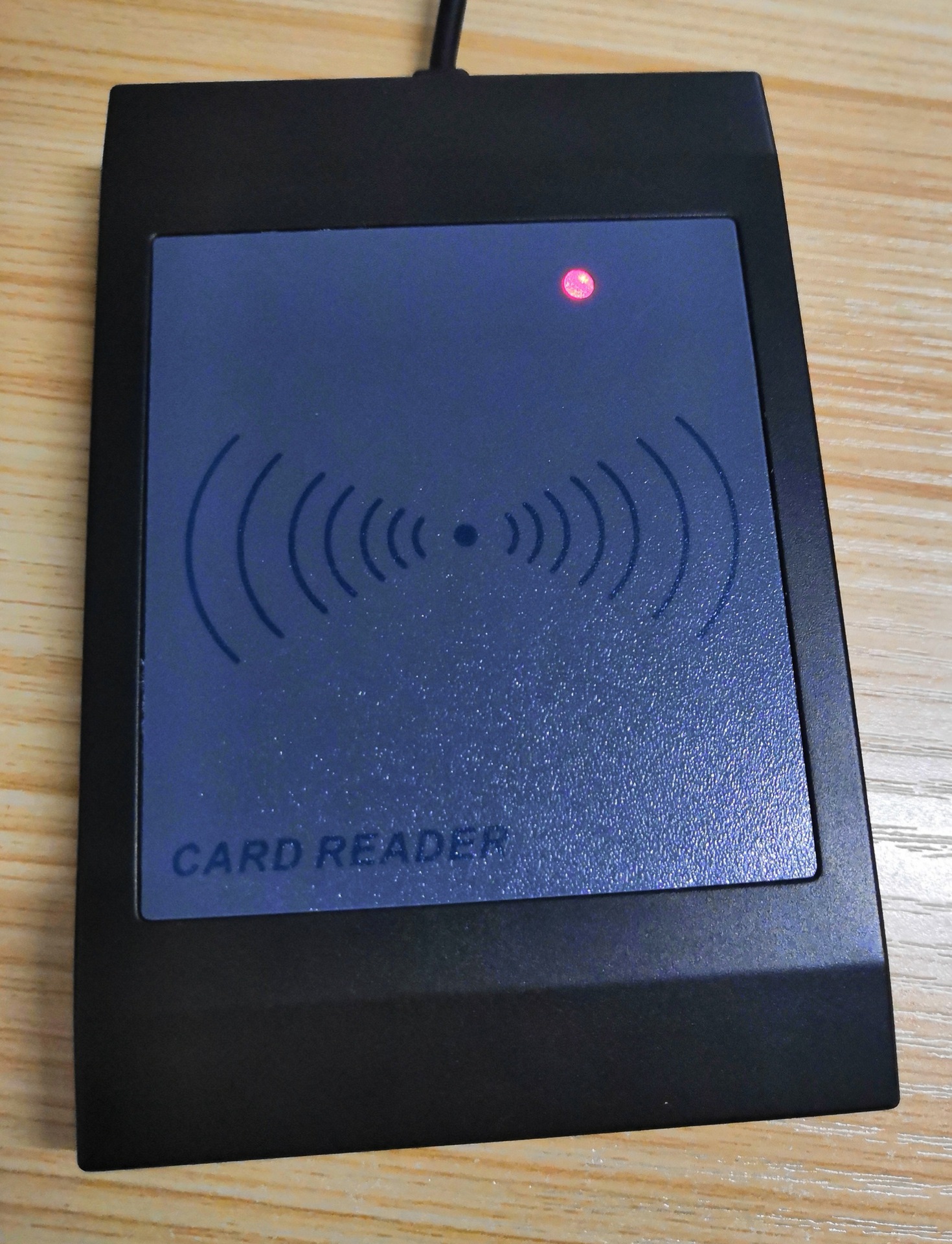
The card reader supports plug-and-play; it can be removed and reinserted freely during use without any additional power supply. Users do not need to install any drivers, and the Windows system treats it as a HID-class keyboard device. After the card reader is connected via the computer’s USB port, it makes a “click” sound to begin self-checking and initialization. Another “click” indicates successful initialization, and then it enters a waiting state for card reading. At this point, a Human Interface Device will appear in the computer’s Device Manager, indicating that the device has been successfully connected to the computer, as shown below:
After the process, the card reader will automatically enter the card number at the computer cursor and press Enter. For example, when opening the computer's Notepad and tapping the card 3 times, the changes shown in the following image will occur.
The serial number of the ID card is fixed, while the card reader can convert and output different bit lengths and formats based on the original card number. The output of card readers varies among manufacturers, but it generally follows certain standards. Below are the data output formats of different card readers from various manufacturers; please pay attention to this when purchasing a card reader. If you have your own standards, you can also customize them with us. Generally, when purchasing cards or card serial numbers, ensure consistency in the format of the card number. Here are several formats:
1. Format 0: 10 hexadecimal ASCII string, which is the 10 Hex format.
For example: A card reads the hexadecimal card number as: “01026f6c3a”.
2. Format 1: Convert the last 8 digits in Format 1 into a 10-digit decimal card number, i.e., 8H---10D.
Will convert “0 26f6c3a” to “0 0040 8566 34”.
3. Format 2: Convert the last 6 digits in Format 1 into an 8-digit decimal card number, i.e., 6H—8D.
Will convert “6f6c3a” to “07302202”.
4. Format 3: Convert the 5th from the last and 6th positions in Format 1 to a 3-digit decimal card number, and then convert the next 4 digits to a 5-digit decimal card number. Separate them with a comma, i.e., “2H + 4H”.
Will convert 2H “6f” to “111”, and 4H “6c3a” to “272706”.
Finally, combine the two numbers into “111,27706”.
5. Format 4: Convert the first 4 digits of the last 8 digits in Format 1 into a 5-digit decimal card number, and then convert the last 4 digits into a 5-digit decimal card number. Separate them with a comma, i.e., “4Hex + 4Hec”.
According to this calculation, the result is: 00623,27706 (4H+4H)
6 Other formats: If you need other formats, please contact our company.
A card reader that reads the card number and outputs it via keyboard, due to its ability to be easily integrated into existing systems without additional development, has gradually been widely used in internet cafe billing, membership management, and club access scenarios. There are various names for it on the market, such as “internet cafe IC card reader,” “ID internet cafe reader,” “USB interface driver-free EM card reader,” and “driver-free ID card USB interface reader.” In fact, they all serve the same function and purpose.
Update time:


TOP