
Search history
Clear allSearch by image
XDrag and drop an image here or upload an image
Max 5MB per image
UploadSign In | Join

Search history
Clear allSearch by image
XDrag and drop an image here or upload an image
Max 5MB per image
UploadSign In | Join


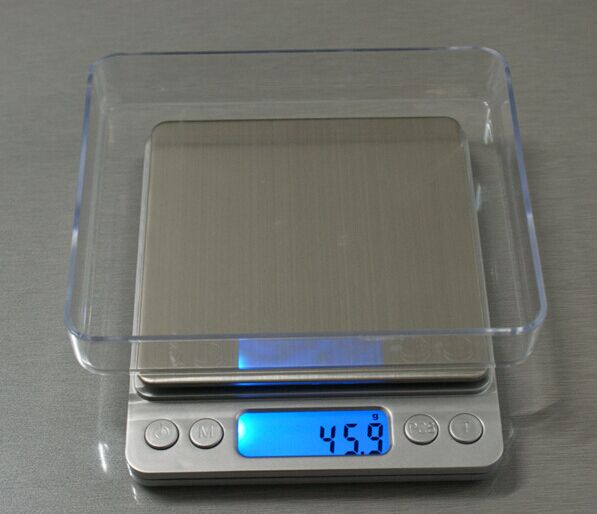
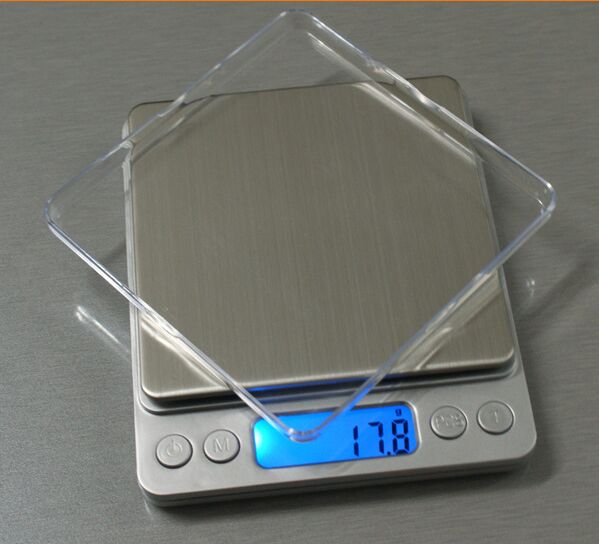


Stainless steel weighing pan, elegant and of high quality
Weighing platform dimensions:127*106*19 mm(L x W x H)
1. Stainless steel weighing pan:t_100*100mm(L x W)
2. Blue backlight, large screen display size:42 * 1.4 mm(L x W)
3. 6Unit conversionG,OZ,OZT,DWT, GN
4. Usage2*AAABattery, AA battery
5. Power-on self-test function, automatic zero trackingAuto zero tracking
6. 30Auto-shutdown function in seconds
7.Zeroing, full-scale zero function
8.The product is silver/black in color, with a transparent protective cover
9.This product now has2Range, 500g/0.01g, 2000g/0.1g
10.Battery installation, one English manual
Function Usage Instructions:
It can only be operated on a stable surface with no vibrations.
1. Operations:
1) Place the scale in a horizontal position
2). Press the power on button
3). Until “0.00/0.0” is displayed
4). Place the items on the scale pan
5). Press the M key to switch units.
2. TASKS:
1) Place a tray or container on it.
2). Press the [T] key, and “0.00 / 0.0” will be displayed.
3). Then, when adding items to a container or pallet, the result is merely the weight of those items.
3. PCS:
All items must have the same weight.
Under normal weighing conditions, place a certain number of samples (pre-set by the system at 2, 5, 0.7, 5.1, and 10 options) on the weighing pan. Hold the “PCS” key without releasing it, after 2 seconds the display will show the sample count. Then release the “PCS” key and press the “MODE” key (or “M” key, “UNITS” key) to switch between different sample counts. After making your selection, press the “PCS” key to confirm the sample count and enter counting mode. If you need to change the sample count, follow the same steps to reset it. In counting mode, pressing the “MODE” key (or “M” key, “UNITS” key) will exit counting mode and return to normal weighing mode, displaying the weight value.
4. Calibration:
1) Only use this operation when the measurement shows inaccuracy.
2). The zeroing ranges are 2000g, 1000g, 500g, 300g, 200g, 100g, and 50g
3). While the device is powered on, hold the [Model] button for a long time until ‘CAL’ appears, then the corresponding calibration weight of the device will be displayed.
4). Place the required weights on top.
5). If ‘PASS’ is displayed, it can be used normally.
5. Fault resolution
For the main reasons such as inaccurate weighing and malfunctions, it is usually due to low battery level, incorrect calibration, overloading, or operating on a unstable surface.
[DISPLAY] indicates error removal
【OUT2】Indicates recalibration
[EEEE] Indicates overweight; you should immediately take away the overweight items.
[UN2T] Indicates weighing with the scale placed on a more stable platform.
Update time:


TOP


