
Search history
Clear allSearch by image
XDrag and drop an image here or upload an image
Max 5MB per image
UploadSign In | Join

Search history
Clear allSearch by image
XDrag and drop an image here or upload an image
Max 5MB per image
UploadSign In | Join
 white, us specification-us
白色美规-US |
CN¥ 30.0 |
 white european standard-eu
白色欧规-EU |
CN¥ 30.0 |
Yiwu Panda CCTV CameraYiwugo Panda CCTV & WiFi Camera Supplier 3yr.
Contacts Zufu Chat
Mobile 13335898658
18164587266

WhatsApp +8613335898658




Product Description
Detailed product specifications
Product Name: 300M Mini Buns
Product: 8cm * 5.2cm * 7.5cm
Packaging: 1.7 cm * 1.7 cm * 6.7 cm
Weight with packaging: 178g
Carton dimensions: 118x68x118 mm
Material: Shell made of ABS
Process: White glossy finish
Color: White, Black
Packaging: Paper box packaging
Delivery Time: In stock
Yes: Yes
2. Product Introduction
AP mode: Wired to wireless: A situation where you can access the internet directly without dialing after connecting the network cable to your computer, such as in hotels, apartments, rental houses, offices, or when sharing broadband with neighbors. Simply plug the connected network cable into the port of the repeater to switch from wired to wireless use. Plug and play, no setup required.
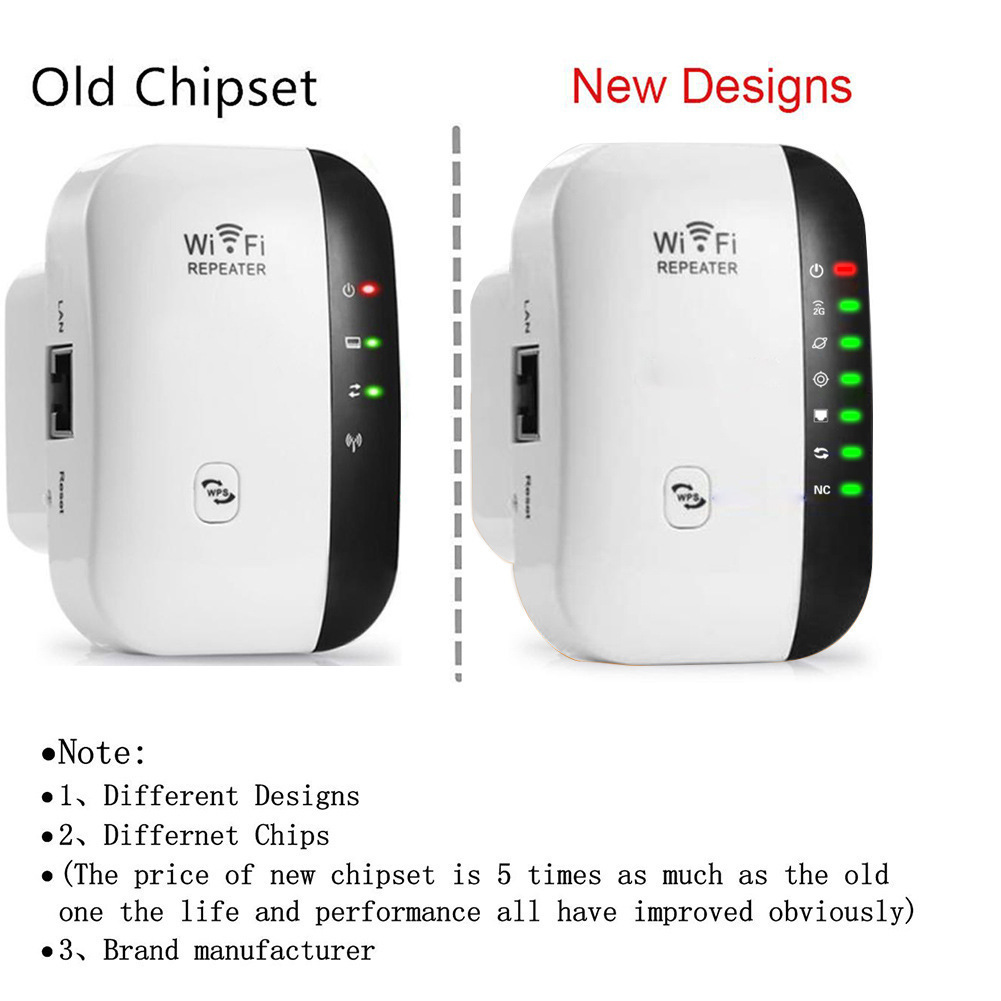
New feature in the device: Determine whether the repeater selection position is appropriate based on the color of the indicator lights. Green indicates an appropriate position; orange indicates poor signal but it can still be used; gray indicates an inappropriate position with no signal.
Product Features:
1. Two operating modes: relay and AP. It can be configured on phones, tablets, and computers. Only one setup is required, and all wireless devices can use it.
2. Wireless standard IEEE 802.11 b/g/n
3. Transmission frequency: 2.4GHz to 2.4835GHz
4. Supports WPA2, WPA, and WEP9 (1 28/6 4)
5. Simple setup wizard software interface
6. WPS one-click encryption, effectively preventing unauthorized network usage
Packaging Accessories:
1 x WIFI wireless repeater
1 English manual x 1
1 x RJ45 network cable
3. Product Advantages:
3.1 Adding several signal lights can enable quick assessment of network status and identification of network failures
3.1.1 A green indicator light indicates that the external network is working properly, while a gray indicator indicates that the external network is disconnected and internet access is not available.
3.1.2 A green indicator light indicates a good connection signal with the upper-level router; a yellow indicator light indicates a poor connection signal, requiring adjustment to an appropriate position; a gray indicator light indicates a connection issue with the upper-level router.
The device cannot connect, and it needs to be adjusted to a position closer to the upstream router.
3.1 The signal is good, easy to use, and can be connected to the upstream router with a single click using the WPS button
Currently, the WPS button on repeaters in the market mainly pairs automatically with user devices. Our device, however, pairs automatically with the upstream router via WPS. By pressing both the repeater and the upstream router’s WPS buttons within 120 seconds, the two devices can pair automatically without any setup, making it very easy to use.
4. Scope of Application/Usage Scenarios: Offices, supermarkets, schools, homes, factories, internet cafes, etc.
Product actual images
Update time:


TOP


